

会話ロジックは、恋愛ゲームの核心です。
選択肢によって好感度が変化し、イベント内容が変わります。
この記事では、実装方法を詳しく解説します。
✨ この記事でわかること
- 会話データの構造設計
- 選択肢による好感度変化の実装
- 会話分岐の実装
- イベント内容の動的変更
- 実装例とコード

会話データは、ScriptableObjectで管理しましょう。デザイナーも編集できるようになります。
\あなたにピッタリのシミュレーションゲーム制作講座を見つけよう!/
おすすめ第1位
経営シミュレーション×
農場ゲームの作り方講座

Unity6対応・農場×経営の2ジャンル融合。AIエージェントを独自実装できる唯一の講座。未経験でも完成まで到達できる丁寧な解説が魅力。
本格派・高難易度
UnityシミュレーションRPG
の作り方講座(SRPG)
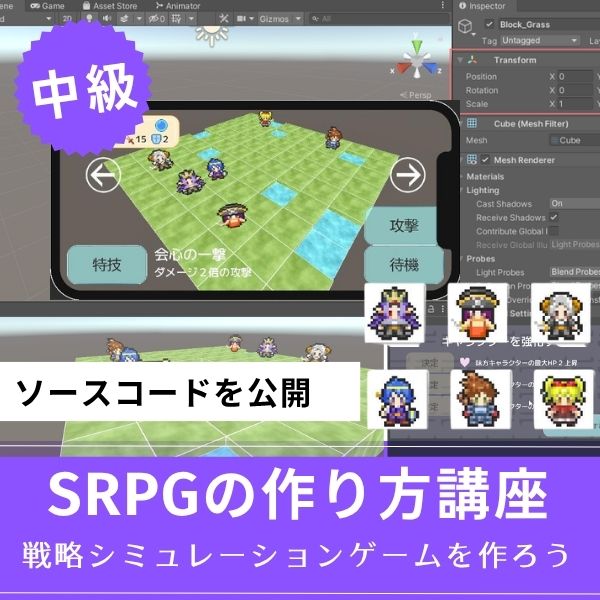
本格SRPGのAI設計・グリッドシステムを全16回で習得。制作難易度が高いSRPGを作れるスキルは、他と大きく差がつく強みになります。
初心者にもおすすめ
Unity ノンフィールドRPG
+スレスパ風JRPG講座

Slay the Spire風デッキ構築×JRPGをUnityで実装。Unity6・スマホ化対応で、初心者がゲーム開発の第一歩を踏み出すのに最適な講座です。
あなたのオリジナルゲーム、今年こそ完成させませんか?
RPG・アクション・ホラー…Unityで本格ゲームを作りたい人のための学習サイトです。

実際に完成するゲームを題材に、
ソースコード・素材・プロジェクト一式をすべて公開。
仕事や学校の合間の1〜2時間でも、
「写経→改造」で自分のゲームまで作りきれる環境です。
会話データの構造設計
会話データの構造を最初に決めます。
実装方法を紹介します。
会話データクラス
|
1 2 3 4 5 6 7 8 9 10 11 12 13 14 15 16 17 18 19 20 21 22 23 24 25 26 27 28 29 30 31 32 33 34 35 36 37 38 39 40 41 42 43 44 45 46 47 48 49 |
using UnityEngine; using System.Collections.Generic; [CreateAssetMenu(fileName = "NewConversation", menuName = "Game/Conversation Data")] public class ConversationData : ScriptableObject { [Header("基本情報")] public string conversationID; public string characterName; [Header("会話ノード")] public List<ConversationNode> nodes = new List<ConversationNode>(); public string startNodeID; } [System.Serializable] public class ConversationNode { public string nodeID; public string speakerName; public string dialogueText; public Sprite characterPortrait; [Header("選択肢")] public List<ConversationChoice> choices = new List<ConversationChoice>(); public string nextNodeID; // 選択肢がない場合 [Header("条件")] public ConversationCondition condition; } [System.Serializable] public class ConversationChoice { public string choiceText; public AffectionChange affectionChange; public string nextNodeID; public ConversationCondition condition; } [System.Serializable] public class ConversationCondition { public int minAffection = 0; public int maxAffection = 100; public RelationshipLevel minLevel = RelationshipLevel.Stranger; public List<FlagCondition> flagConditions = new List<FlagCondition>(); } |
このコードで、会話データの基本構造が実装できます。
ScriptableObjectで管理すれば、デザイナーも編集できます。
会話データの作成手順
- Projectウィンドウで右クリック
- Create → Game → Conversation Data を選択
- ファイル名を「CharacterA_Conversation01」などに変更
- Inspectorで会話ノードを設定
これで、再利用可能な会話データが作成できます。
選択肢による好感度変化の実装

選択肢に応じて、好感度が変化します。
実装方法を紹介します。
好感度変化の実装
|
1 2 3 4 5 6 7 8 9 10 11 12 13 14 15 16 17 18 19 20 21 22 23 24 25 26 27 28 29 30 31 32 33 34 35 |
public class ConversationAffectionSystem : MonoBehaviour { public RomanceAffectionManager affectionManager; public void OnChoiceSelected(string characterName, ConversationChoice choice) { // 好感度を変更 affectionManager.ChangeAffection(characterName, choice.affectionChange); // 変化を表示 ShowAffectionChange(characterName, choice.affectionChange); } void ShowAffectionChange(string characterName, AffectionChange change) { string message = ""; if (change.affectionChange > 0) { message += $"{characterName}の好感度が+{change.affectionChange}上がりました\n"; } else if (change.affectionChange < 0) { message += $"{characterName}の好感度が{change.affectionChange}下がりました\n"; } if (change.trustChange != 0) { message += $"信頼度が{change.trustChange:+0;-0}変動しました\n"; } Debug.Log(message); } } |
このコードで、選択肢による好感度変化が実装できます。
選択肢を選ぶと、好感度が変化します。
好感度変化のバランス
✅ 好感度変化のバランス
- 良い選択肢:好感度+5、信頼度+3(標準)
- 普通の選択肢:好感度+1、信頼度+1(変化なし)
- 悪い選択肢:好感度-3、信頼度-2(減少)
選択肢の種類に応じて、好感度の変化量を変えます。
好感度の変化量は、小さく設定しましょう。一度に大きく変えると、バランスが崩れます。+5程度が標準です。
会話分岐の実装

会話分岐は、好感度に応じて内容が変わります。
実装方法を紹介します。
条件付き会話の実装
|
1 2 3 4 5 6 7 8 9 10 11 12 13 14 15 16 17 18 19 20 21 22 23 24 25 26 27 28 29 30 31 32 33 34 35 36 37 38 39 40 41 42 43 44 45 46 47 48 49 50 51 52 53 54 55 56 57 58 59 60 61 62 63 64 65 66 67 68 69 70 |
public class ConditionalDialogueSystem : MonoBehaviour { public RomanceAffectionManager affectionManager; public FlagManager flagManager; public ConversationNode GetDialogueNode(ConversationData conversation, string nodeID) { if (!conversation.nodes.Exists(n => n.nodeID == nodeID)) { return null; } ConversationNode node = conversation.nodes.Find(n => n.nodeID == nodeID); // 条件をチェック if (node.condition != null) { if (!CheckConversationCondition(node.condition)) { // 条件を満たさない場合は、デフォルトノードを返す return conversation.nodes.Find(n => n.nodeID == conversation.startNodeID); } } return node; } bool CheckConversationCondition(ConversationCondition condition) { // 好感度条件をチェック // 実装は省略 // フラグ条件をチェック foreach (var flagCondition in condition.flagConditions) { if (!flagManager.CheckFlagCondition(flagCondition)) { return false; } } return true; } public List<ConversationChoice> GetAvailableChoices(ConversationNode node, string characterName) { List<ConversationChoice> availableChoices = new List<ConversationChoice>(); RomanceAffectionData data = affectionManager.GetAffectionData(characterName); foreach (var choice in node.choices) { if (choice.condition == null || CheckChoiceCondition(data, choice.condition)) { availableChoices.Add(choice); } } return availableChoices; } bool CheckChoiceCondition(RomanceAffectionData data, ConversationCondition condition) { if (data.affection < condition.minAffection) return false; if (data.affection > condition.maxAffection) return false; if (data.GetRelationshipLevel() < condition.minLevel) return false; return true; } } |
このコードで、条件付き会話が実装できます。
好感度とフラグに応じて、会話の内容と選択肢が変わります。
イベント内容の動的変更

イベント内容は、好感度に応じて動的に変更します。
実装方法を紹介します。
動的イベント内容の実装
|
1 2 3 4 5 6 7 8 9 10 11 12 13 14 15 16 17 18 19 20 21 22 23 24 25 26 27 28 29 30 31 32 33 34 35 36 37 38 39 40 41 42 43 44 45 46 47 48 49 50 51 52 53 54 55 56 57 58 59 60 61 62 63 64 |
using UnityEngine; using System.Collections.Generic; [System.Serializable] public class DynamicEventContent { public string eventID; public List<EventVariant> variants = new List<EventVariant>(); } [System.Serializable] public class EventVariant { public string variantName; public string eventDescription; public AffectionCondition condition; public List<EventChoice> choices = new List<EventChoice>(); } public class DynamicEventSystem : MonoBehaviour { public RomanceAffectionManager affectionManager; public EventVariant GetEventVariant(string characterName, DynamicEventContent eventContent) { RomanceAffectionData data = affectionManager.GetAffectionData(characterName); // 条件を満たすバリアントを探す(優先度の高い順) foreach (var variant in eventContent.variants) { if (CheckAffectionCondition(data, variant.condition)) { return variant; } } // デフォルトバリアントを返す return eventContent.variants[0]; } bool CheckAffectionCondition(RomanceAffectionData data, AffectionCondition condition) { if (data.affection < condition.minAffection) return false; if (data.affection > condition.maxAffection) return false; if (data.GetRelationshipLevel() < condition.minLevel) return false; return true; } public void TriggerDynamicEvent(string characterName, DynamicEventContent eventContent) { EventVariant variant = GetEventVariant(characterName, eventContent); // イベントを発生 ShowEvent(variant); } void ShowEvent(EventVariant variant) { // イベントを表示 // 実装は省略 } } |
このコードで、動的イベント内容が実装できます。
好感度に応じて、イベントの内容が変わります。
実装例:完全な会話システム

実際に使える、完全な会話システムの実装例を紹介します。
|
1 2 3 4 5 6 7 8 9 10 11 12 13 14 15 16 17 18 19 20 21 22 23 24 25 26 27 28 29 30 31 32 33 34 35 36 37 38 39 40 41 42 43 44 45 46 47 48 49 50 51 52 53 54 55 56 57 58 59 60 61 62 63 64 65 66 67 68 69 70 71 72 73 74 75 76 77 78 79 80 81 |
using UnityEngine; public class CompleteConversationSystem : MonoBehaviour { [Header("システム")] public RomanceAffectionManager affectionManager; public ConversationAffectionSystem affectionSystem; public ConditionalDialogueSystem dialogueSystem; public DynamicEventSystem eventSystem; private ConversationData currentConversation; private string currentNodeID; private string currentCharacterName; public void StartConversation(string characterName, ConversationData conversation) { currentCharacterName = characterName; currentConversation = conversation; currentNodeID = conversation.startNodeID; ShowCurrentNode(); } void ShowCurrentNode() { ConversationNode node = dialogueSystem.GetDialogueNode(currentConversation, currentNodeID); if (node == null) return; // 会話を表示 DisplayDialogue(node); // 選択肢を取得 List<ConversationChoice> choices = dialogueSystem.GetAvailableChoices(node, currentCharacterName); // 選択肢を表示 DisplayChoices(choices); } public void OnChoiceSelected(int choiceIndex) { ConversationNode node = dialogueSystem.GetDialogueNode(currentConversation, currentNodeID); if (node == null || choiceIndex >= node.choices.Count) return; ConversationChoice choice = node.choices[choiceIndex]; // 好感度を変更 affectionSystem.OnChoiceSelected(currentCharacterName, choice); // 次のノードへ currentNodeID = choice.nextNodeID; if (string.IsNullOrEmpty(currentNodeID)) { EndConversation(); } else { ShowCurrentNode(); } } void DisplayDialogue(ConversationNode node) { // 会話を表示 // 実装は省略 } void DisplayChoices(List<ConversationChoice> choices) { // 選択肢を表示 // 実装は省略 } void EndConversation() { currentConversation = null; currentNodeID = null; currentCharacterName = null; } } |
このコードで、完全な会話システムが実装できます。
会話データ、選択肢、好感度変化、動的イベントを統合しています。
よくある質問(FAQ)

シミュレーションゲームを作りたいなら!Unity入門の森のシミュレーション制作講座で本格ゲーム開発に挑戦しよう
Unity入門の森には、経営・農場・SRPGなど幅広いシミュレーションゲームを作れる講座が揃っています。作りたいジャンルや目標スキルに合わせて選んでみてください。
経営シミュレーション×農場ゲームの作り方講座【Unity6対応!AIエージェント実装まで学べる唯一の講座!】
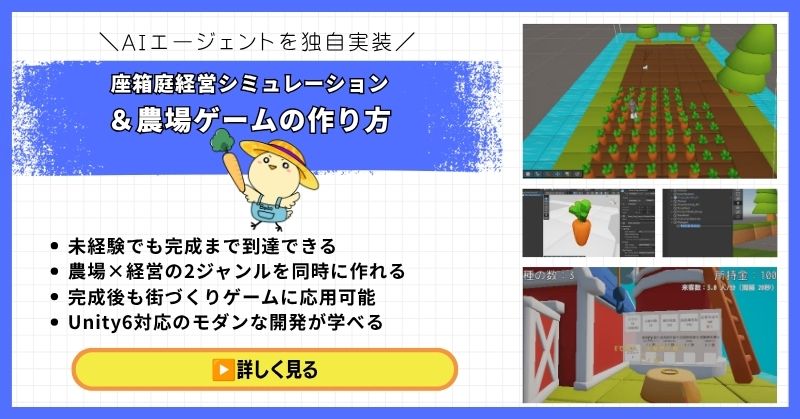
- 未経験でも完成まで到達できる丁寧な解説
- 農場×経営の2ジャンルを同時に作れる
- 賢く自律行動するAIエージェントを独自実装できる
- 完成後も街づくりゲームに応用可能な高い拡張性
- Unity6対応のモダンな開発手法が身につく
経営シミュレーション×農場ゲームの作り方講座は、シムシティ・牧場物語・どうぶつの森のようなゲームを自分で作れるようになる講座です。
農作物の育成・収穫・販売システムはもちろん、NavMeshを使ったお客さんAIの来店・購入・帰宅の自律行動や、ルールベースAIによる従業員エージェントの実装まで、本格的なゲームAI開発が学べます。
箱庭経営シミュレーションという複合的な題材を通して、Unity中級者・上級者に必要な幅広い開発スキルを一気に習得できる講座です。
Unity6対応・AIエージェント実装まで学べる
農場も経営もコレ1本で完成させよう
→ 経営シミュレーション×農場ゲーム講座を見てみる
応用・拡張性は無限大!自律行動するAIを実装して一歩先のゲーム開発へ!
UnityシミュレーションRPGの作り方講座(SRPG)【全16回!本格タクティクスSRPGをゼロから作れる!】
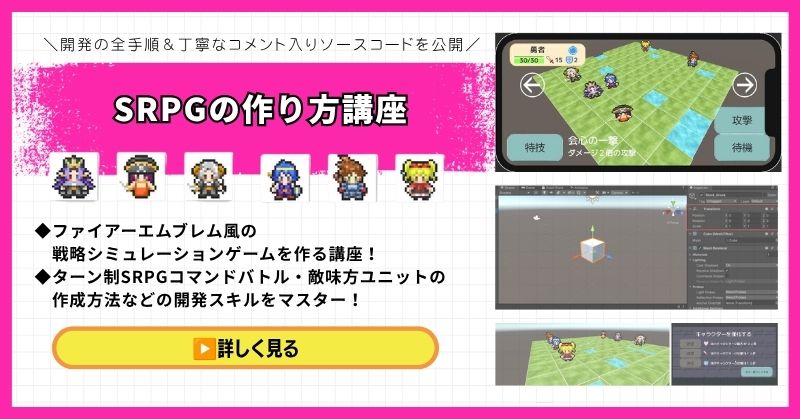
- ファイアーエムブレム風の本格タクティクスSRPGを0から開発
- 書籍でも情報が少ない戦術シミュレーションを丁寧に解説
- 難解なグリッドシステム・敵AI戦術を完全攻略できる
- 全文コメント入りソースコード付きで初心者でも理解しながら進められる
- Unity入門の森の最高傑作の一つ・解説の丁寧さはトップクラス
UnityシミュレーションRPGの作り方講座(SRPG)は、ファイアーエムブレム・タクティクスオウガ・FFタクティクスのようなターン制ストラテジーシミュレーションゲームを作るための講座です。
移動可能エリアの設定・ターン進行管理・コマンド選択型戦闘・敵AI戦術ストラテジーなど、本格SRPGに必要な機能をすべてゼロから開発します。開発難易度が高いシステムも、全文コメント入りのソースコードと丁寧な解説で確実に理解しながら進められます。
「SRPGを作れる」というスキルは希少価値が高く、Unityエンジニアとして中・上級者を目指す人に強くおすすめの一本です。
本格タクティクスSRPGをゼロから完成させる
難解なグリッドシステムと敵AIを完全攻略しよう
→ UnityシミュレーションRPG(SRPG)講座を見てみる
他では学べない当サイト最高傑作!エンジニアとして頭一つ抜ける希少スキルを今すぐ。
Unity ノンフィールドRPG+スレスパ風JRPG講座【Unity6対応!デッキ構築×JRPGをスマホ向けに作れる!】
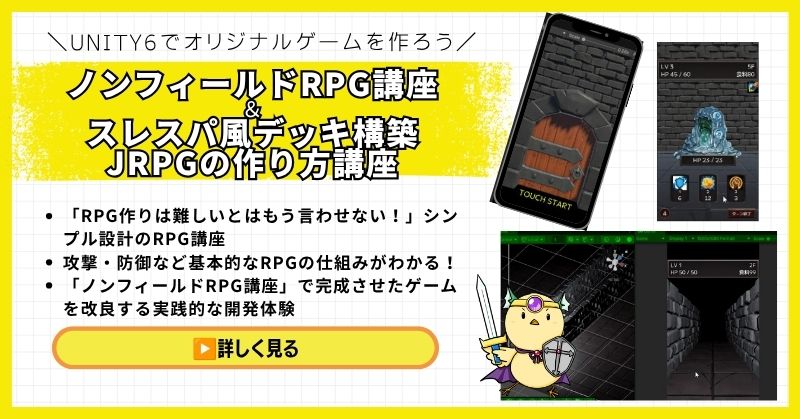
- Unity6対応・スマホ化対応で最新環境のゲーム開発が学べる
- Slay the Spire風のデッキ構築システム×JRPGの組み合わせを実装
- 初心者でも取り組みやすい丁寧な解説構成
- ノンフィールドRPGとデッキ構築JRPGの2つを合わせて学ぶのがおすすめ
Unity ノンフィールドRPGの作り方講座+Slay the Spire風デッキ構築JRPGの作り方講座は、今もっともトレンドのデッキ構築型ゲームシステムをJRPGと組み合わせて実装する方法を学べる講座です。
Unity6対応・スマホ化対応の最新カリキュラムで、デッキ構築の核となるシステムをしっかり習得できます。シミュレーション系の設計思想とも親和性が高く、ゲーム開発の幅を広げたい方にもおすすめです。
「Slay the Spireみたいなゲームを自分でも作ってみたい!」という人の最初の一歩として最適な講座です。
Unity6対応・スマホ化対応の最新カリキュラム
トレンドのデッキ構築×JRPGを最速で実装しよう
→ Slay the Spire風デッキ構築JRPG講座を見てみる
SLGの設計思想とも親和性抜群!トレンドシステムを取り入れて開発の幅を広げよう!
まとめ

会話ロジックは、会話データの構造から始めましょう。
選択肢に応じて、好感度が変化する仕組みを実装します。
✅ 今日から始める3ステップ
- ステップ1:会話データ構造を実装する(所要2時間)
- ステップ2:選択肢による好感度変化を実装する(所要2時間)
- ステップ3:会話分岐システムを実装する(所要3時間)
本格的にUnityを学びたい方は、Unity入門の森で実践的なスキルを身につけましょう。
あなたのペースで、少しずつ進めていけば大丈夫です。
あなたのオリジナルゲーム、今年こそ完成させませんか?
RPG・アクション・ホラー…Unityで本格ゲームを作りたい人のための学習サイトです。
実際に完成するゲームを題材に、
ソースコード・素材・プロジェクト一式をすべて公開。
仕事や学校の合間の1〜2時間でも、
「写経→改造」で自分のゲームまで作りきれる環境です。


コメント