
実は、オートマッピング・職業システム・スキルツリーといった世界樹の迷宮の核となる要素は、Unity C#で実装できます。
この記事では、実際に動くコード例を交えながら、世界樹風ノンフィールドRPGの作り方を解説します。
✨ この記事で学べる実装技術
- 歩いた場所が自動記録されるオートマッピングシステムの作り方(実装コード付き)
- ソードマン・メディック・レンジャーなど職業システムの設計方法(C#クラス設計例)
- レベルアップで自由に成長させるスキルツリーの実装方法(前提スキル判定ロジック)
- 前衛・後衛で戦略が変わる隊列システムの作り方
- ダンジョン内で素材を集める採取・伐採システムの実装
- RPGツクールMZ・WOLF RPGエディターでの代替実装方法

世界樹の迷宮の魅力は「探索の緊張感」と「育成の自由度」。
この2つを実装できれば、あなただけのオリジナルダンジョンRPGが作れます。
\あなたにピッタリのRPG制作講座を見つけよう!/
おすすめ第1位
Unity ノンフィールドRPG
+スレスパ風JRPG講座
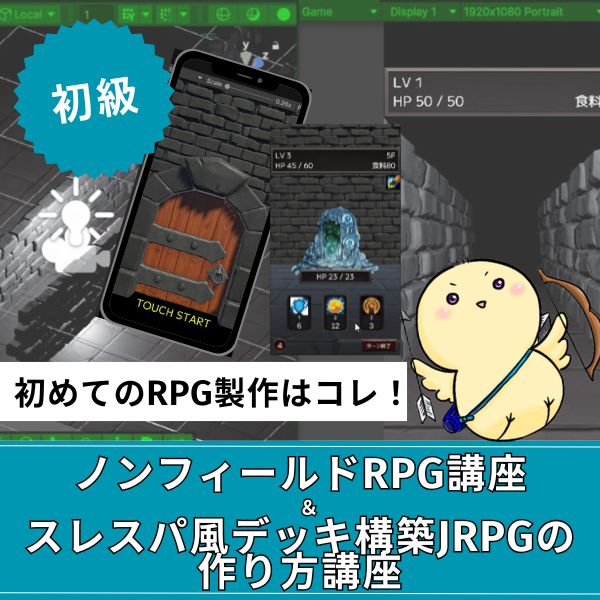
初心者向け・Unity6対応・スマホ化対応の三拍子。入門者が最初に学ぶ1本として最も最適。トレンドのデッキ構築型システムを最速で実装できます。
超本格派・最高峰
Unity 世界樹の迷宮風
3DダンジョンRPG講座
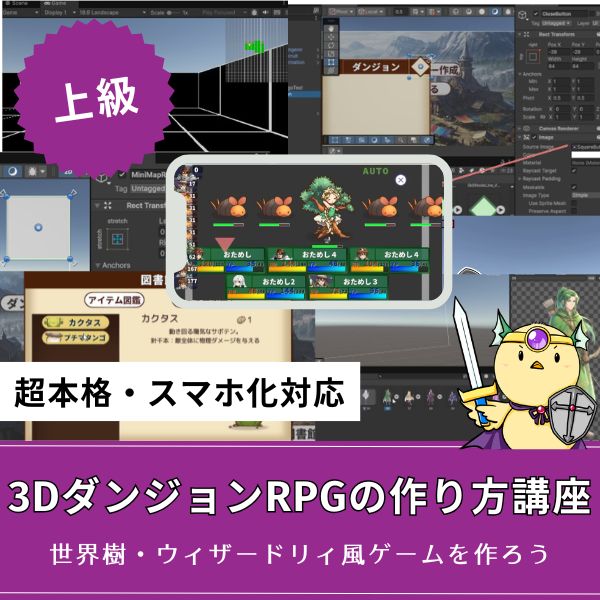
ウィザードリィ・世界樹風の超本格派3DダンジョンRPGをゼロから開発。オートマッピング・キャラメイク・スキルツリー・カウントタイムバトルまで完全実装。
大ボリューム本格派
Unity 2DRPGの作り方講座
(ドラクエ風)
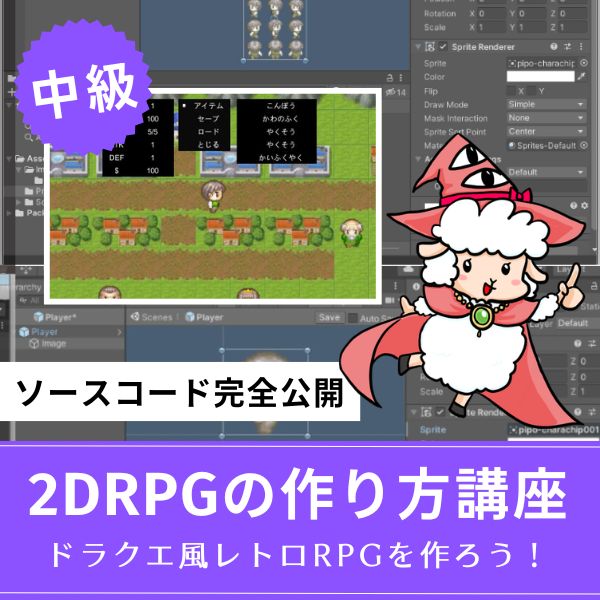
王道かつ本格的な2DコマンドバトルRPGを作りたいならこれ。全27回という圧倒的なボリュームで、基礎から実践的なマップ・戦闘構築まで徹底解説。
あなたのオリジナルゲーム、今年こそ完成させませんか?
RPG・アクション・ホラー…Unityで本格ゲームを作りたい人のための学習サイトです。

実際に完成するゲームを題材に、
ソースコード・素材・プロジェクト一式をすべて公開。
仕事や学校の合間の1〜2時間でも、
「写経→改造」で自分のゲームまで作りきれる環境です。
なぜ世界樹の迷宮風ゲームが個人開発に向いているのか

世界樹の迷宮は2007年、アトラスから発売された一人称視点の3DダンジョンRPGです。
「プレイヤー自身が地図を描く」という独自システムで話題を呼び、2024年にはHDリマスター版がSwitchとSteamでリリースされました。
この世界樹の迷宮、実は個人開発者にとって理想的なゲームデザインなんです。
ノンフィールドRPGという選択
世界樹の迷宮が採用したノンフィールドRPG形式には、開発者にとって大きなメリットがあります。
必要なアセット数が少ない:壁・床・天井のテクスチャがあればダンジョンを作れる(必要素材約50種類)
コア体験に集中できる:マッピング・戦闘・育成という楽しさの本質だけを磨ける
段階的に拡張可能:基本システム完成後、ダンジョンを追加していける構造
実際、Steamで人気の「ダンジョンメーカー」「レイジングループ」「Etrian Odyssey Untold」など、ノンフィールド形式のインディーゲームは数多く成功しています。
「制約」ではなく「戦略的な選択」として、ノンフィールドRPGを採用することで、限られたリソースで高品質なゲーム体験を提供できます。
世界樹の迷宮を構成する5つの核心要素

世界樹の迷宮風ゲームを作るには、以下5つの要素を理解し実装する必要があります。
優先順位の高い順に並べています。
オートマッピングシステム(歩いた場所の自動記録)→ 実装時間:5〜7時間
職業システム(ソードマン・メディック・レンジャーなど)→ 実装時間:6〜8時間
スキルツリー(レベルアップでスキルポイント獲得・自由習得)→ 実装時間:8〜10時間
隊列システム(前衛・後衛で攻撃力・被ダメージが変化)→ 実装時間:4〜6時間追加要素(余裕があれば):採取・伐採システム → 実装時間:3〜4時間
F.O.E(徘徊型強敵)システム → 実装時間:5〜7時間
合計26〜36時間で、世界樹の迷宮の基本システムが完成します。
1日2時間の作業なら、約2〜3週間で動くプロトタイプができる計算です。
開発ツール選択:あなたの経験値で決める最適解

世界樹の迷宮風ゲーム制作には、大きく分けて3つのアプローチがあります。
【プログラミング未経験者】推奨ツール:RPGツクールMZ(8,778円)
実装可能要素:職業システム、スキル習得、2Dダンジョン探索
実装困難要素:オートマッピング(プラグイン必須)、3D表現
完成までの時間:約2週間(20〜25時間)【HTML/CSS程度の経験者】推奨ツール:WOLF RPGエディター(無料)
実装可能要素:全ての要素をイベントコマンドで実装可能
特徴:自由度が高いが学習コストも高め
完成までの時間:約3週間(30〜40時間)【C#またはJavaScript経験者】推奨ツール:Unity(無料・個人利用)
実装可能要素:全ての要素を完全実装可能
特徴:3Dグラフィック、スマホ対応、商業レベルの品質
完成までの時間:約4〜5週間(50〜70時間)
| 機能 | RPGツクールMZ | WOLF RPGエディター | Unity |
| オートマッピング | △(プラグイン必要) | ◯(コモンイベント) | ◎(完全実装可能) |
| 職業システム | ◎(標準機能) | ◯(自作必要) | ◎(柔軟に設計可能) |
| スキルツリー | ◯(プラグイン必要) | ◯(自作必要) | ◎(完全カスタマイズ) |
| 3D表現 | △(疑似3D程度) | ×(2Dのみ) | ◎(本格3D) |
| スマホ対応 | △(Webブラウザ経由) | ×(PC専用) | ◎(ネイティブアプリ化) |
| 学習コスト | 低(2〜3日) | 中(1週間) | 高(2〜3週間) |
結論:本格的な世界樹の迷宮風3DダンジョンRPGを作りたいなら、Unityが最適解です。
以降のセクションでは、Unity C#での具体的な実装方法を解説していきます。
Unity実装①:オートマッピングシステムの作り方
世界樹の迷宮の最大の魅力、オートマッピングシステムを実装していきます。
「歩いた場所が自動で地図に記録される」この仕組み、実は2次元配列とHashSetを使えば実装できます。
設計思想:マップデータをどう管理するか
オートマッピングの実装には、以下3つのデータ構造が必要です。
HashSet exploredCells:プレイヤーが訪れたセルの記録
Texture2D mapTexture:ミニマップUIとして画面に表示するテクスチャ
この3つを組み合わせることで、プレイヤーの移動に応じてリアルタイムでマップが更新されるシステムが完成します。
実装コード:マップデータ管理クラス
|
1 2 3 4 5 6 7 8 9 10 11 12 13 14 15 16 17 18 19 20 21 22 23 24 25 26 27 28 29 30 31 32 33 34 35 36 37 38 39 40 41 42 43 44 45 46 47 48 49 50 51 52 53 54 55 56 57 58 59 60 61 62 63 64 65 66 67 68 69 70 71 72 73 74 75 76 77 78 79 80 81 82 83 84 85 86 87 88 89 90 91 92 93 94 95 96 97 98 99 100 101 102 103 104 105 106 107 108 109 110 111 112 113 114 115 116 117 118 |
using UnityEngine; using System.Collections.Generic; public class AutoMappingSystem : MonoBehaviour { [Header("マップ設定")] public int mapWidth = 30; public int mapHeight = 30; // マップデータ(0:未探索 1:通路 2:壁 3:扉 4:階段) private int[,] mapData; // 探索済みセル private HashSet<Vector2Int> exploredCells = new HashSet<Vector2Int>(); // プレイヤーの現在位置 private Vector2Int playerPosition; void Start() { InitializeMap(); } void InitializeMap() { mapData = new int[mapWidth, mapHeight]; // 全セルを未探索状態に初期化 for (int x = 0; x < mapWidth; x++) { for (int y = 0; y < mapHeight; y++) { mapData[x, y] = 0; } } Debug.Log($"マップ初期化完了:{mapWidth}x{mapHeight}"); } /// <summary> /// プレイヤーが移動したときに呼び出す /// </summary> /// <param name="position">セルを探索済みにする</param> void ExploreCell(Vector2Int position) { if (!IsValidPosition(position)) return; exploredCells.Add(position); // 通路として記録(壁でなければ) if (mapData[position.x, position.y] != 2) { mapData[position.x, position.y] = 1; } } /// <summary> /// 周囲4方向の壁を検出 /// </summary> void DetectSurroundingWalls(Vector2Int centerPos) { Vector2Int[] directions = { new Vector2Int(0, 1), // 北 new Vector2Int(1, 0), // 東 new Vector2Int(0, -1), // 南 new Vector2Int(-1, 0) // 西 }; foreach (Vector2Int dir in directions) { Vector2Int checkPos = centerPos + dir; if (!IsValidPosition(checkPos)) continue; // Raycastで壁を検出 Vector3 worldPos = GridToWorld(checkPos); if (Physics.CheckSphere(worldPos, 0.4f)) { mapData[checkPos.x, checkPos.y] = 2; // 壁として記録 } } } /// <summary> /// グリッド座標をワールド座標に変換 /// </summary> Vector3 GridToWorld(Vector2Int gridPos) { return new Vector3(gridPos.x * 2f, 0.5f, gridPos.y * 2f); } /// <summary> /// 座標が有効範囲内かチェック /// </summary> bool IsValidPosition(Vector2Int pos) { return pos.x >= 0 && pos.x < mapWidth && pos.y >= 0 && pos.y < mapHeight; } /// <summary> /// セルが探索済みかチェック /// </summary> public bool IsExplored(Vector2Int pos) { return exploredCells.Contains(pos); } /// <summary> /// セルタイプを取得 /// </summary> public int GetCellType(Vector2Int pos) { if (!IsValidPosition(pos)) return 0; return mapData[pos.x, pos.y]; } } |
コードのポイント解説:
OnPlayerMove():プレイヤー移動時に呼び出し、探索済みマークと壁検出を実行
DetectSurroundingWalls():Physics.CheckSphereで周囲の壁を自動検出
HashSet:探索済みセルの高速検索(O(1))を実現
実装コード:ミニマップUI表示クラス
|
1 2 3 4 5 6 7 8 9 10 11 12 13 14 15 16 17 18 19 20 21 22 23 24 25 26 27 28 29 30 31 32 33 34 35 36 37 38 39 40 41 42 43 44 45 46 47 48 49 50 51 52 53 54 55 56 57 58 59 60 61 62 63 64 65 66 67 68 69 70 71 72 73 74 75 76 77 78 79 80 81 82 83 84 85 86 87 88 89 90 91 92 93 94 95 96 97 98 99 100 101 |
using UnityEngine; using UnityEngine.UI; public class MinimapUI : MonoBehaviour { [Header("参照")] public AutoMappingSystem mappingSystem; public RawImage minimapImage; [Header("表示設定")] public int cellPixelSize = 6; public Color unexploredColor = new Color(0.1f, 0.1f, 0.1f); public Color pathColor = new Color(0.9f, 0.9f, 0.9f); public Color wallColor = new Color(0.3f, 0.3f, 0.3f); public Color playerColor = new Color(1f, 0.2f, 0.2f); public Color doorColor = new Color(0.5f, 0.8f, 1f); private Texture2D mapTexture; private Vector2Int lastPlayerPosition; void Start() { InitializeTexture(); } void InitializeTexture() { int width = mappingSystem.mapWidth * cellPixelSize; int height = mappingSystem.mapHeight * cellPixelSize; mapTexture = new Texture2D(width, height); mapTexture.filterMode = FilterMode.Point; // ドット絵風 minimapImage.texture = mapTexture; RenderMap(Vector2Int.zero); } /// <summary> /// マップ全体を描画 /// </summary> public void RenderMap(Vector2Int playerPos) { // 全セルを走査して描画 for (int x = 0; x < mappingSystem.mapWidth; x++) { for (int y = 0; y < mappingSystem.mapHeight; y++) { Vector2Int cellPos = new Vector2Int(x, y); Color cellColor = GetCellColor(cellPos); DrawCell(x, y, cellColor); } } // プレイヤー位置を上書き描画 DrawCell(playerPos.x, playerPos.y, playerColor); // テクスチャ更新 mapTexture.Apply(); lastPlayerPosition = playerPos; } /// <summary> /// セルの表示色を決定 /// </summary> Color GetCellColor(Vector2Int pos) { // 未探索セルは暗色 if (!mappingSystem.IsExplored(pos)) { return unexploredColor; } // セルタイプに応じて色分け int cellType = mappingSystem.GetCellType(pos); switch (cellType) { case 1: return pathColor; // 通路 case 2: return wallColor; // 壁 case 3: return doorColor; // 扉 default: return unexploredColor; } } /// <summary> /// 1セルを描画 /// </summary> void DrawCell(int gridX, int gridY, Color color) { int startX = gridX * cellPixelSize; int startY = gridY * cellPixelSize; for (int px = 0; px < cellPixelSize; px++) { for (int py = 0; py < cellPixelSize; py++) { mapTexture.SetPixel(startX + px, startY + py, color); } } } } |
コードのポイント解説:
RenderMap():マップ全体を再描画(プレイヤー移動時に呼び出し)
DrawCell():1セル分(6×6ピクセル)を指定色で塗りつぶす
FilterMode.Point:ドット絵風のクリアな表示を実現
Unity実装②:職業システムとスキルツリーの作り方
世界樹の迷宮のもう1つの魅力、多彩な職業とスキルツリーを実装していきます。
ソードマン・メディック・レンジャーなど、職業ごとに異なる成長とスキル習得を実現します。
設計思想:職業データをどう管理するか
職業システムの設計には、以下のポイントが重要です。
成長率を職業ごとに設定(HPやSTRの伸び率)
装備可能武器を職業ごとに制限
習得可能スキルを職業専用に設定
この設計により、データとロジックを分離した保守性の高いシステムが完成します。
実装コード:職業データクラス
|
1 2 3 4 5 6 7 8 9 10 11 12 13 14 15 16 17 18 19 20 21 22 23 24 25 26 27 28 29 30 31 32 33 34 35 36 37 38 39 40 41 42 43 44 45 46 47 48 49 50 51 52 53 54 55 56 57 58 59 60 61 62 63 64 65 66 67 68 69 70 71 72 73 74 75 76 77 78 79 80 81 82 83 84 85 86 87 88 89 90 91 92 93 94 95 96 97 98 99 100 101 102 103 104 105 106 107 108 109 110 111 112 113 114 115 116 117 118 119 120 121 122 123 124 |
using UnityEngine; [CreateAssetMenu(fileName = "NewClass", menuName = "EtrianOdyssey/Character Class")] public class CharacterClass : ScriptableObject { [Header("基本情報")] public string className = "ソードマン"; public Sprite classIcon; [Header("基本ステータス(レベル1時点)")] public int baseHP = 50; public int baseTP = 20; public int baseSTR = 10; // 物理攻撃力 public int baseVIT = 8; // 物理防御力 public int baseINT = 5; // 魔法攻撃力 public int baseWIS = 5; // 魔法防御力 public int baseAGI = 7; // 速度 public int baseLUK = 5; // 運 [Header("レベルアップ時の成長率")] public float hpGrowth = 1.25f; public float tpGrowth = 1.15f; public float strGrowth = 1.12f; public float vitGrowth = 1.10f; public float intGrowth = 1.05f; public float wisGrowth = 1.05f; public float agiGrowth = 1.08f; public float lukGrowth = 1.03f; [Header("装備制限")] public WeaponType[] equipableWeapons; public ArmorType[] equipableArmors; [Header("習得可能スキル")] public Skill[] availableSkills; /// /// 指定レベルでのステータスを計算 /// public int CalculateHP(int level) { return Mathf.RoundToInt(baseHP * Mathf.Pow(hpGrowth, level - 1)); } public int CalculateTP(int level) { return Mathf.RoundToInt(baseTP * Mathf.Pow(tpGrowth, level - 1)); } public int CalculateSTR(int level) { return Mathf.RoundToInt(baseSTR * Mathf.Pow(strGrowth, level - 1)); } public int CalculateVIT(int level) { return Mathf.RoundToInt(baseVIT * Mathf.Pow(vitGrowth, level - 1)); } public int CalculateAGI(int level) { return Mathf.RoundToInt(baseAGI * Mathf.Pow(agiGrowth, level - 1)); } } [System.Serializable] public enum WeaponType { Sword, // 剣 Axe, // 斧 Spear, // 槍 Bow, // 弓 Staff, // 杖 Dagger, // 短剣 Whip // 鞭 } [System.Serializable] public enum ArmorType { LightArmor, // 軽装備 HeavyArmor, // 重装備 Robe // ローブ }<pre class="lang:default decode:true"><code class="language-csharp">using UnityEngine; [CreateAssetMenu(fileName = "NewClass", menuName = "EtrianOdyssey/Character Class")] public class CharacterClass : ScriptableObject { [Header("基本情報")] public string className = "ソードマン"; public Sprite classIcon; [Header("基本ステータス(レベル1時点)")] public int baseHP = 50; public int baseTP = 20; public int baseSTR = 10; // 物理攻撃力 public int baseVIT = 8; // 物理防御力 public int baseINT = 5; // 魔法攻撃力 public int baseWIS = 5; // 魔法防御力 public int baseAGI = 7; // 速度 public int baseLUK = 5; // 運 [Header("レベルアップ時の成長率")] public float hpGrowth = 1.25f; public float tpGrowth = 1.15f; public float strGrowth = 1.12f; public float vitGrowth = 1.10f; public float intGrowth = 1.05f; public float wisGrowth = 1.05f; public float agiGrowth = 1.08f; public float lukGrowth = 1.03f; [Header("装備制限")] public WeaponType[] equipableWeapons; public ArmorType[] equipableArmors; [Header("習得可能スキル")] public Skill[] availableSkills; /// <summary> /// 指定レベルでのステータスを計算 /// </summary> public int CalculateHP(int level) { return Mathf.RoundToInt(baseHP * Mathf.Pow(hpGrowth, level - 1)); } public int CalculateTP(int level) { return Mathf.RoundToInt(baseTP * Mathf.Pow(tpGrowth, level - 1)); } public int CalculateSTR(int level) { return Mathf.RoundToInt(baseSTR * Mathf.Pow(strGrowth, level - 1)); } public int CalculateVIT(int level) { return Mathf.RoundToInt(baseVIT * Mathf.Pow(vitGrowth, level - 1)); } public int CalculateAGI(int level) { return Mathf.RoundToInt(baseAGI * Mathf.Pow(agiGrowth, level - 1)); } } [System.Serializable] public enum WeaponType { Sword, // 剣 Axe, // 斧 Spear, // 槍 Bow, // 弓 Staff, // 杖 Dagger, // 短剣 Whip // 鞭 } [System.Serializable] public enum ArmorType { LightArmor, // 軽装備 HeavyArmor, // 重装備 Robe // ローブ } |
コードのポイント解説:
[CreateAssetMenu]:Unityエディタで右クリックから職業データを作成可能
CalculateXXX(int level):レベルに応じたステータスを成長率から計算
ScriptableObject:データをアセットとして保存・再利用可能
実装コード:スキルツリーシステム
|
1 2 3 4 5 6 7 8 9 10 11 12 13 14 15 16 17 18 19 20 21 22 23 24 25 26 27 28 29 30 31 32 33 34 35 36 37 38 39 40 41 42 43 44 45 46 47 48 49 50 51 52 53 54 55 56 57 58 59 60 61 62 63 64 65 66 67 68 69 70 71 72 73 74 75 76 77 78 79 80 81 82 83 84 85 86 87 88 89 90 91 92 93 94 95 96 |
using UnityEngine; using System.Collections.Generic; [CreateAssetMenu(fileName = "NewSkill", menuName = "EtrianOdyssey/Skill")] public class Skill : ScriptableObject { [Header("基本情報")] public string skillName = "パワースラッシュ"; [TextArea(3, 5)] public string description = "敵単体に物理攻撃を行う基本スキル"; public Sprite skillIcon; [Header("スキルレベル")] public int maxLevel = 10; public int currentLevel = 0; [Header("習得条件")] public int requiredSkillPoint = 1; public Skill prerequisiteSkill; // 前提スキル public int prerequisiteLevel = 1; // 前提スキルの必要レベル [Header("スキル効果")] public SkillType skillType; public int basePower = 100; public float powerGrowthPerLevel = 1.15f; // レベル毎の威力上昇率 public int tpCost = 5; public int tpCostGrowth = 1; // レベル毎のTP消費増加 [Header("対象")] public TargetType targetType; /// <summary> /// 指定レベルでのスキル威力を計算 /// </summary> public int GetPower(int level) { if (level <= 0) return 0; return Mathf.RoundToInt(basePower * Mathf.Pow(powerGrowthPerLevel, level - 1)); } /// <summary> /// 指定レベルでのTP消費量を計算 /// </summary> public int GetTPCost(int level) { return tpCost + (tpCostGrowth * (level - 1)); } /// <summary> /// このスキルが習得可能かチェック /// </summary> public bool CanLearn(int availablePoints, Dictionary<Skill, int> learnedSkills) { // すでに最大レベル if (currentLevel >= maxLevel) return false; // スキルポイント不足 if (availablePoints < requiredSkillPoint) return false; // 前提スキルチェック if (prerequisiteSkill != null) { if (!learnedSkills.ContainsKey(prerequisiteSkill)) { return false; } if (learnedSkills[prerequisiteSkill] < prerequisiteLevel) { return false; } } return true; } } [System.Serializable] public enum SkillType { PhysicalAttack, // 物理攻撃 MagicalAttack, // 魔法攻撃 Heal, // 回復 Buff, // 強化 Debuff, // 弱体 Passive // パッシブ } [System.Serializable] public enum TargetType { SingleEnemy, // 敵単体 AllEnemies, // 敵全体 SingleAlly, // 味方単体 AllAllies, // 味方全体 Self // 自分 } |
実装コード:スキルツリー管理クラス
|
1 2 3 4 5 6 7 8 9 10 11 12 13 14 15 16 17 18 19 20 21 22 23 24 25 26 27 28 29 30 31 32 33 34 35 36 37 38 39 40 41 42 43 44 45 46 47 48 49 50 51 52 53 54 55 56 57 58 59 60 61 62 63 64 65 66 67 68 69 70 71 72 73 74 75 76 77 78 79 80 81 82 83 84 85 86 87 88 89 90 91 92 93 94 95 96 97 98 99 100 101 102 103 104 105 106 107 108 |
using UnityEngine; using System.Collections.Generic; public class SkillTreeManager : MonoBehaviour { [Header("キャラクター情報")] public CharacterClass characterClass; public int characterLevel = 1; [Header("スキルポイント")] public int availableSkillPoints = 0; public int totalSkillPoints = 0; // 習得済みスキルとそのレベル private Dictionary<Skill, int> learnedSkills = new Dictionary<Skill, int>(); void Start() { CalculateSkillPoints(); } /// <summary> /// レベルに応じたスキルポイントを計算 /// </summary> void CalculateSkillPoints() { // レベル1から現在レベルまでのポイント合計 totalSkillPoints = characterLevel - 1; // 使用済みポイントを計算 int usedPoints = 0; foreach (var skillPair in learnedSkills) { Skill skill = skillPair.Key; int level = skillPair.Value; usedPoints += skill.requiredSkillPoint * level; } availableSkillPoints = totalSkillPoints - usedPoints; } /// <summary> /// スキルをレベルアップ /// </summary> public bool LearnSkill(Skill skill) { // 習得可能かチェック if (!skill.CanLearn(availableSkillPoints, learnedSkills)) { Debug.Log($"{skill.skillName}を習得できません"); return false; } // スキルレベルを上げる if (learnedSkills.ContainsKey(skill)) { learnedSkills[skill]++; } else { learnedSkills[skill] = 1; } skill.currentLevel = learnedSkills[skill]; // スキルポイントを消費 availableSkillPoints -= skill.requiredSkillPoint; Debug.Log($"{skill.skillName} をレベル {skill.currentLevel} に習得しました"); return true; } /// <summary> /// レベルアップ時の処理 /// </summary> public void OnLevelUp() { characterLevel++; availableSkillPoints++; totalSkillPoints++; Debug.Log($"レベルアップ! レベル {characterLevel} スキルポイント +1"); } /// <summary> /// 習得済みスキル一覧を取得 /// </summary> public Dictionary<Skill, int> GetLearnedSkills() { return new Dictionary<Skill, int>(learnedSkills); } /// <summary> /// スキルツリーをリセット(有料アイテム等で実装) /// </summary> public void ResetSkillTree() { foreach (var skill in learnedSkills.Keys) { skill.currentLevel = 0; } learnedSkills.Clear(); CalculateSkillPoints(); Debug.Log("スキルツリーをリセットしました"); } } |
コードのポイント解説:
CanLearn():前提スキル・スキルポイント・最大レベルを全てチェック
Dictionary<Skill, int>:習得済みスキルとそのレベルを効率的に管理
ScriptableObject:スキルデータをアセット化して再利用
Unity実装③:隊列システムの作り方
世界樹の迷宮の戦略性を支える隊列システムを実装します。
前衛・後衛の位置によって、攻撃力や被ダメージが変化する仕組みです。
実装コード:隊列システム
|
1 2 3 4 5 6 7 8 9 10 11 12 13 14 15 16 17 18 19 20 21 22 23 24 25 26 27 28 29 30 31 32 33 34 35 36 37 38 39 40 41 42 43 44 45 46 47 48 49 50 51 52 53 54 55 56 57 58 59 60 61 62 63 64 65 66 67 68 69 70 71 72 73 74 75 76 77 78 79 80 81 82 83 84 85 86 87 88 89 90 91 92 93 94 95 96 97 98 99 100 101 102 103 104 105 106 107 108 109 110 111 112 113 114 115 116 117 118 119 120 121 122 123 124 125 126 127 128 129 130 131 132 133 134 135 136 137 138 139 140 141 142 143 144 145 146 147 148 149 150 151 152 153 154 155 156 157 158 159 160 161 162 163 164 165 166 167 168 169 170 171 172 173 174 175 176 177 178 179 180 181 182 183 184 |
using UnityEngine; using System.Collections.Generic; public class FormationSystem : MonoBehaviour { [Header("パーティ編成")] public List<PartyMember> frontRow = new List<PartyMember>(3); // 前衛(最大3人) public List<PartyMember> backRow = new List<PartyMember>(3); // 後衛(最大3人) [Header("隊列補正値")] [Range(0.5f, 2.0f)] public float frontRowAttackBonus = 1.0f; // 前衛の攻撃力補正 [Range(0.5f, 2.0f)] public float backRowAttackPenalty = 0.7f; // 後衛の物理攻撃力補正 [Range(0.5f, 2.0f)] public float frontRowDefensePenalty = 1.0f; // 前衛の防御力補正 [Range(0.5f, 2.0f)] public float backRowDefenseBonus = 1.2f; // 後衛の防御力補正 /// <summary> /// キャラクターを前衛に配置 /// </summary> public bool PlaceInFrontRow(PartyMember member, int position) { if (position < 0 || position >= 3) { Debug.LogWarning("前衛の位置は0〜2です"); return false; } // すでに配置されている場合は除去 RemoveFromFormation(member); // 指定位置に配置 if (frontRow.Count <= position) { frontRow.Add(member); } else { frontRow[position] = member; } member.currentRow = RowType.Front; member.positionInRow = position; return true; } /// <summary> /// キャラクターを後衛に配置 /// </summary> public bool PlaceInBackRow(PartyMember member, int position) { if (position < 0 || position >= 3) { Debug.LogWarning("後衛の位置は0〜2です"); return false; } // すでに配置されている場合は除去 RemoveFromFormation(member); // 指定位置に配置 if (backRow.Count <= position) { backRow.Add(member); } else { backRow[position] = member; } member.currentRow = RowType.Back; member.positionInRow = position; return true; } /// <summary> /// 隊列から除去 /// </summary> void RemoveFromFormation(PartyMember member) { frontRow.Remove(member); backRow.Remove(member); } /// <summary> /// 隊列補正を適用した攻撃力を計算 /// </summary> public int CalculateAdjustedAttack(PartyMember attacker, int baseAttack, bool isPhysical) { float modifier = 1.0f; if (attacker.currentRow == RowType.Front) { modifier = frontRowAttackBonus; } else if (attacker.currentRow == RowType.Back) { // 物理攻撃のみペナルティ(魔法攻撃は影響を受けない) if (isPhysical) { modifier = backRowAttackPenalty; } } return Mathf.RoundToInt(baseAttack * modifier); } /// <summary> /// 隊列補正を適用した被ダメージを計算 /// </summary> public int CalculateAdjustedDamage(PartyMember defender, int incomingDamage) { float modifier = 1.0f; if (defender.currentRow == RowType.Front) { modifier = frontRowDefensePenalty; } else if (defender.currentRow == RowType.Back) { modifier = backRowDefenseBonus; } return Mathf.RoundToInt(incomingDamage * modifier); } /// <summary> /// 前衛が全滅したら後衛を前衛に移動 /// </summary> public void CheckFrontRowWipeout() { bool allFrontDead = true; foreach (var member in frontRow) { if (member != null && member.isAlive) { allFrontDead = false; break; } } if (allFrontDead && backRow.Count > 0) { Debug.Log("前衛全滅!後衛が前衛に移動します"); // 後衛を前衛に移動 for (int i = 0; i < backRow.Count; i++) { if (backRow[i] != null && backRow[i].isAlive) { PlaceInFrontRow(backRow[i], i); } } backRow.Clear(); } } } [System.Serializable] public class PartyMember { public string characterName; public CharacterClass characterClass; public int level = 1; public int currentHP; public int maxHP; public bool isAlive = true; [Header("隊列情報")] public RowType currentRow = RowType.Front; public int positionInRow = 0; // 0:左 1:中央 2:右 } public enum RowType { Front, // 前衛 Back // 後衛 } |
コードのポイント解説:
CalculateAdjustedAttack():隊列による攻撃力補正を計算(後衛の物理攻撃は30%減)
CalculateAdjustedDamage():隊列による被ダメージ補正を計算(後衛は20%軽減)
CheckFrontRowWipeout():前衛全滅時に後衛を自動で前衛に移動
Unity実装④:採取・伐採システムの作り方

ダンジョン探索の楽しみを増やす採取・伐採システムを実装します。
世界樹の迷宮では、スキルレベルによって採取成功率や入手アイテムが変化します。
実装コード:採取ポイントクラス
|
1 2 3 4 5 6 7 8 9 10 11 12 13 14 15 16 17 18 19 20 21 22 23 24 25 26 27 28 29 30 31 32 33 34 35 36 37 38 39 40 41 42 43 44 45 46 47 48 49 50 51 52 53 54 55 56 57 58 59 60 61 62 63 64 65 66 67 68 69 70 71 72 73 74 75 76 77 78 79 80 81 82 83 84 85 86 87 88 89 90 91 92 93 94 95 96 97 98 99 100 101 102 103 104 105 106 107 108 109 110 111 112 113 114 115 116 117 118 119 120 121 122 123 124 125 126 127 128 129 130 131 132 133 134 135 136 137 138 139 140 141 142 143 144 145 146 147 148 149 150 151 152 153 154 155 156 157 158 159 160 161 162 163 164 165 166 167 168 169 170 171 172 173 174 175 176 |
<pre class="lang:default decode:true"><code class="language-csharp">using UnityEngine; using System.Collections.Generic; public class GatheringPoint : MonoBehaviour { [Header("採取ポイント設定")] public GatheringType gatheringType; public int requiredSkillLevel = 1; // 必要な採取スキルレベル public int maxGatherCount = 3; // 最大採取回数 [Header("ドロップアイテム")] public List<GatheringDrop> dropTable = new List<GatheringDrop>(); private int currentGatherCount = 0; private bool isExhausted = false; void Start() { // ランダムで採取回数を設定(最大値±1) maxGatherCount += Random.Range(-1, 2); maxGatherCount = Mathf.Max(1, maxGatherCount); } /// <summary> /// 採取を実行 /// </summary> public GatheringResult TryGather(int playerSkillLevel) { GatheringResult result = new GatheringResult(); // すでに枯渇している if (isExhausted) { result.success = false; result.message = "採取ポイントは枯渇しています"; return result; } // スキルレベル不足 if (playerSkillLevel < requiredSkillLevel) { result.success = false; result.message = $"{gatheringType}スキル レベル{requiredSkillLevel}が必要です"; return result; } // 成功率計算(スキルレベルが高いほど成功しやすい) float successRate = CalculateSuccessRate(playerSkillLevel); bool success = Random.value < successRate; if (success) { // アイテムをドロップテーブルから選択 Item droppedItem = SelectDropItem(playerSkillLevel); result.success = true; result.item = droppedItem; result.message = $"{droppedItem.itemName}を入手しました!"; currentGatherCount++; // 採取回数上限チェック if (currentGatherCount >= maxGatherCount) { isExhausted = true; result.message += "\n(採取ポイントが枯渇しました)"; } } else { result.success = false; result.message = "採取に失敗しました"; currentGatherCount++; if (currentGatherCount >= maxGatherCount) { isExhausted = true; } } return result; } /// <summary> /// スキルレベルに応じた成功率を計算 /// </summary> float CalculateSuccessRate(int skillLevel) { // 基本成功率50% float baseRate = 0.5f; // 必要レベルとの差分でボーナス int levelDifference = skillLevel - requiredSkillLevel; float bonus = levelDifference * 0.1f; // レベル差1につき+10% return Mathf.Clamp01(baseRate + bonus); } /// <summary> /// ドロップアイテムを抽選 /// </summary> Item SelectDropItem(int skillLevel) { // スキルレベルに応じて入手可能なアイテムをフィルタ List<GatheringDrop> availableDrops = dropTable.FindAll( drop => drop.requiredSkillLevel <= skillLevel ); if (availableDrops.Count == 0) { availableDrops = dropTable; } // 重み付き抽選 float totalWeight = 0f; foreach (var drop in availableDrops) { totalWeight += drop.dropWeight; } float randomValue = Random.value * totalWeight; float currentWeight = 0f; foreach (var drop in availableDrops) { currentWeight += drop.dropWeight; if (randomValue <= currentWeight) { return drop.item; } } // フォールバック return availableDrops[0].item; } /// <summary> /// 採取ポイントをリセット(フロア再訪時など) /// </summary> public void Reset() { currentGatherCount = 0; isExhausted = false; maxGatherCount = 3 + Random.Range(-1, 2); } } [System.Serializable] public class GatheringDrop { public Item item; public int requiredSkillLevel = 1; public float dropWeight = 1.0f; // 抽選重み(大きいほど出やすい) } [System.Serializable] public class GatheringResult { public bool success; public Item item; public string message; } public enum GatheringType { Harvesting, // 採取 Mining, // 採掘 Lumbering // 伐採 } [CreateAssetMenu(fileName = "NewItem", menuName = "EtrianOdyssey/Item")] public class Item : ScriptableObject { public string itemName; public Sprite itemIcon; public int sellPrice; }</code></pre> |
コードのポイント解説:
CalculateSuccessRate():スキルレベルが高いほど成功率が上がる仕組み
SelectDropItem():重み付き抽選でレアアイテムの出現率を調整
Reset():フロア再訪時に採取ポイントを復活させる
本格的なUnity 3DダンジョンRPG制作を学ぶなら

ここまでの内容で、世界樹の迷宮風ゲームの基本的な実装方法は理解できたと思います。
しかし、さらに本格的な3DダンジョンRPGを作りたい場合は、専門的な学習が必要です。
Unity入門の森では、プロレベルの3DダンジョンRPG制作を学べる講座を提供しています。
✅ Unity入門の森で習得できるスキル
- ギミック付き本格3Dダンジョンの制作方法(落とし穴・ワープ・隠し通路)
- マップエディタの作り方と拡張エディタの活用方法
- オートマッピングシステムの完全実装(手書きマップとの併用)
- 職業システムとキャラクターメイキング(10種類以上の職業実装例)
- スキルツリーシステムの完全実装(前提スキル・派生スキル対応)
- 前衛/後衛が入り乱れるカウントタイムバトル
- 採取・伐採システムの実装(レアアイテム抽選ロジック)
- お店システムや素材合成システムの実装法
- アイテム図鑑、モンスター図鑑の実装方法
この講座は、世界でもまだ公開されていない本格的な3DダンジョンRPG制作ノウハウを提供しています。
世界樹の迷宮のようなノンフィールドRPGを作りたい方に最適な内容です。
初心者でも見様見真似で作れるように、詳細な手順解説とソースコード、プロジェクトファイルが全て付属しています。
Unity入門の森 3DダンジョンRPG講座の特徴
スマホ化対応:作成したゲームをAndroid/iOSに出力する方法も学べる
完全なソースコード付き:全てのC#コードが提供されるため、すぐに実装可能
プロジェクトファイル付き:完成形のプロジェクトを確認しながら学習できる
質問サポート:分からないことがあれば質問できる環境
本格的にUnityで世界樹の迷宮風3DダンジョンRPG制作を学びたい方は、ぜひUnity入門の森の3DダンジョンRPG講座をチェックしてみてください。
よくある質問

自分だけのRPGを作りたいなら!Unity入門の森のRPG制作講座で本格ゲーム開発に挑戦しよう
Unity入門の森には、初心者から中上級者まで対応したRPG制作講座が揃っています。トレンドのデッキ構築型から超本格派3DダンジョンRPGまで、作りたいRPGのスタイルに合わせて選んでみてください。
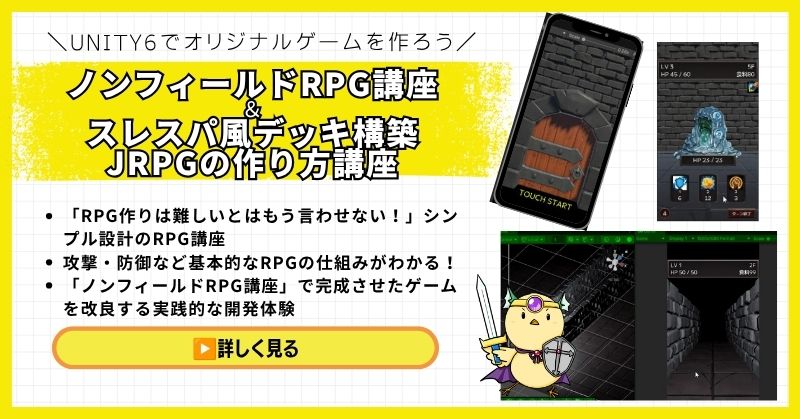
Unity ノンフィールドRPG+スレスパ風JRPG講座【Unity6対応!デッキ構築×JRPGをスマホ向けに作れる!】
- Unity6対応・スマホ化対応で最新環境のゲーム開発が学べる
- Slay the Spire風のデッキ構築システム×JRPGの組み合わせを実装
- 初心者でも取り組みやすい丁寧な解説構成
- ノンフィールドRPGとデッキ構築JRPGの2つを合わせて学ぶのがおすすめ
Unity ノンフィールドRPGの作り方講座+Slay the Spire風デッキ構築JRPGの作り方講座は、今もっともトレンドのデッキ構築型ゲームシステムをJRPGと組み合わせて実装する方法を学べる講座です。
Unity6対応・スマホ化対応の最新カリキュラムで、デッキ構築の核となるシステムをしっかり習得できます。
「Slay the Spireみたいなゲームを自分でも作ってみたい!」という人の最初の一歩として最適な講座です。
Unity6対応・スマホ化対応の最新カリキュラム
トレンドのデッキ構築×JRPGを最速で実装しよう
→ Slay the Spire風デッキ構築JRPG講座を見てみる
スマホ対応の最新環境で、ゲーム開発の第一歩を踏み出そう!
Unity 世界樹の迷宮風3DダンジョンRPGの作り方講座【全20回!ウィザードリィ・世界樹風の超本格派3DダンジョンRPGを作れる!】

- ウィザードリィ・世界樹の迷宮風の超本格派3DダンジョンRPGをゼロから開発
- オートマッピング・キャラメイク・スキルツリー・カウントタイムバトルを完全実装
- 日本・世界でも類を見ない本格3DダンジョンRPG講座
- スマホ化対応・全プロジェクトファイル付きで安心して完成まで到達できる
Unity 世界樹の迷宮風3DダンジョンRPGの作り方講座は、ウィザードリィ・世界樹の迷宮のような本格的な3DダンジョンRPGをゼロから作れるようになる、Unity入門の森最高峰の講座です。
オートマッピング・キャラメイキング・スキルツリー・カウントタイムバトル・アイテム合成・モンスター図鑑まで、RPGに必要な本格システムを全20回で徹底的に習得できます。ここまで本格的な3DダンジョンRPG講座は日本・世界でも類を見ません。
「プロレベルのインディゲーム開発スキルを手に入れたい」中・上級者に強くおすすめできる、Unity入門の森の技術の粋を詰め込んだ一本です。
世界唯一クラスの超本格派3DダンジョンRPGをゼロから完成させる
ウィザードリィ・世界樹風のダンジョンRPGでプロレベルのスキルを手に入れよう
→ 世界樹風3DダンジョンRPG講座を見てみる
Unity入門の森の技術の粋を全て叩き込んだ最高峰講座を今すぐチェック!
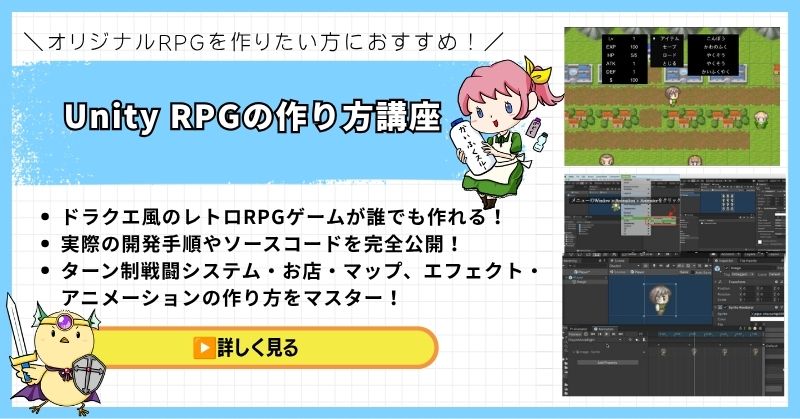
Unity 2DRPGの作り方講座(ドラクエ風)【全27回大ボリューム!王道コマンドバトルRPGを本格的に作りたい中上級者向け!】
- 全27回という圧倒的なボリュームで王道RPGを徹底解説
- ドラクエ風コマンドバトルの本格的なシステムを一から実装
- マップ制作・戦闘システム・イベント管理まで実践的に習得
- 基礎から応用まで網羅した中上級者向けの充実カリキュラム
Unity 2DRPGの作り方講座(ドラクエ風)は、王道コマンドバトルRPGを本格的に作りたい人のための大ボリューム講座です。
全27回のカリキュラムで、マップ制作・コマンドバトル・イベント管理・セーブ機能まで、RPGに必要なシステムを基礎から実践レベルまで徹底的に習得できます。
「ドラクエのような本格的なRPGをUnityでゼロから作り上げたい」という中上級者に自信を持っておすすめできる一本です。
全27回・王道RPGシステムを徹底解説
本格的なドラクエ風2DRPGをUnityで作ろう
→ Unity 2DRPGの作り方講座を見てみる
全27回の圧倒的な丁寧さ!一生モノのコマンドバトル基礎を今すぐ手に入れよう
まとめ

世界樹の迷宮風ゲーム制作は、適切なツールと正しい手順で進めれば実現可能です。
段階的にシステムを実装していくことが成功への近道です。
STEP2:この記事のコード例を実際に動かしてみる(所要時間:2〜3時間)
STEP3:オートマッピングシステムから実装を始める(所要時間:5〜7時間)
本格的な世界樹の迷宮風3DダンジョンRPGを作りたい方は、Unity入門の森の3DダンジョンRPG講座で、プロフェッショナルレベルのスキルを習得できます。
全18回の講座で、マップエディタ、オートマッピング、職業システム、スキルツリー、採取システム、カウントタイムバトルなど、世界樹の迷宮に必要な全ての要素を学べます。
ノンフィールドRPGは、個人開発者にとって最適なジャンルの1つです。
広大なワールドマップを作る必要がなく、ダンジョン探索という核となる楽しさに集中できます。
あなたのペースで、着実に実装していけば必ず完成します。
さあ、今日から世界樹の迷宮風ゲーム制作を始めましょう。
あなたのオリジナルゲーム、今年こそ完成させませんか?
RPG・アクション・ホラー…Unityで本格ゲームを作りたい人のための学習サイトです。
実際に完成するゲームを題材に、
ソースコード・素材・プロジェクト一式をすべて公開。
仕事や学校の合間の1〜2時間でも、
「写経→改造」で自分のゲームまで作りきれる環境です。

コメント