

経営シミュレーションは、売上・コスト・利益の計算が核心です。
数値構造を適切に設計すれば、面白いゲームが完成します。
この記事では、実装方法を詳しく解説します。
✨ この記事でわかること
- 売上システムの実装
- コスト計算システムの実装
- 利益計算システムの実装
- グラフ表示システムの実装
- 実装例とコード

経営シミュレーションは、数値の計算が核心です。売上、コスト、利益を明確に分けて管理しましょう。
\あなたにピッタリのシミュレーションゲーム制作講座を見つけよう!/
おすすめ第1位
経営シミュレーション×
農場ゲームの作り方講座
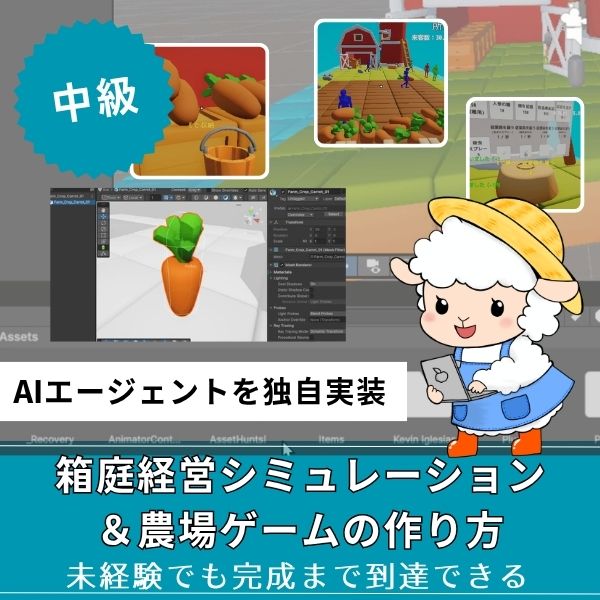
Unity6対応・農場×経営の2ジャンル融合。AIエージェントを独自実装できる唯一の講座。未経験でも完成まで到達できる丁寧な解説が魅力。
本格派・高難易度
UnityシミュレーションRPG
の作り方講座(SRPG)
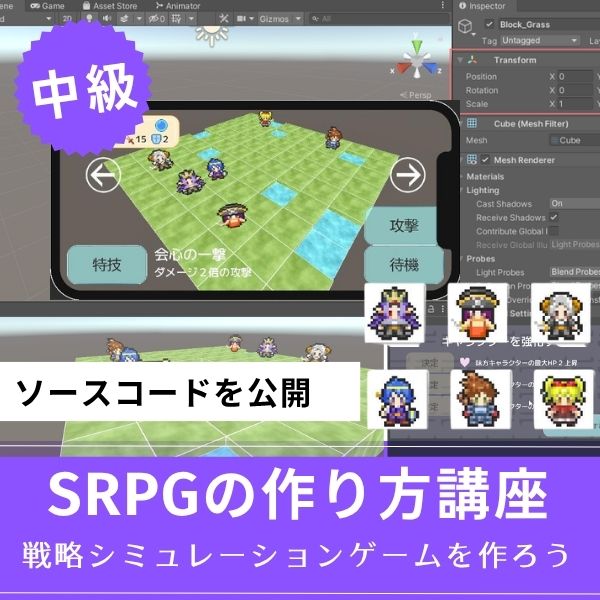
本格SRPGのAI設計・グリッドシステムを全16回で習得。制作難易度が高いSRPGを作れるスキルは、他と大きく差がつく強みになります。
初心者にもおすすめ
Unity ノンフィールドRPG
+スレスパ風JRPG講座
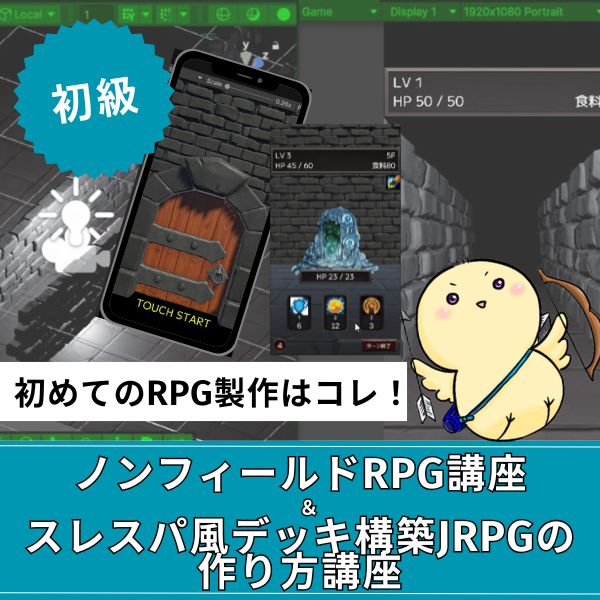
Slay the Spire風デッキ構築×JRPGをUnityで実装。Unity6・スマホ化対応で、初心者がゲーム開発の第一歩を踏み出すのに最適な講座です。
あなたのオリジナルゲーム、今年こそ完成させませんか?
RPG・アクション・ホラー…Unityで本格ゲームを作りたい人のための学習サイトです。

実際に完成するゲームを題材に、
ソースコード・素材・プロジェクト一式をすべて公開。
仕事や学校の合間の1〜2時間でも、
「写経→改造」で自分のゲームまで作りきれる環境です。
売上システムの実装

売上は、商品の販売から生まれます。
実装方法を紹介します。
売上計算の実装
|
1 2 3 4 5 6 7 8 9 10 11 12 13 14 15 16 17 18 19 20 21 22 23 24 25 26 27 28 29 30 31 32 33 34 35 36 37 38 39 40 41 42 43 44 45 46 47 48 49 50 51 52 53 54 55 56 |
using UnityEngine; using System.Collections.Generic; [System.Serializable] public class Product { public string productName; public int price; // 販売価格 public int cost; // 原価 public int stock; // 在庫 public int salesVolume; // 販売量 } public class SalesSystem : MonoBehaviour { public List<Product> products = new List<Product>(); public int totalRevenue = 0; // 総売上 public int CalculateDailyRevenue() { int dailyRevenue = 0; foreach (var product in products) { // 販売量 × 価格 int productRevenue = product.salesVolume * product.price; dailyRevenue += productRevenue; } return dailyRevenue; } public void ProcessSales() { foreach (var product in products) { // 在庫を減らす product.stock -= product.salesVolume; product.stock = Mathf.Max(0, product.stock); } // 総売上を更新 int dailyRevenue = CalculateDailyRevenue(); totalRevenue += dailyRevenue; } public void SetSalesVolume(string productName, int volume) { Product product = products.Find(p => p.productName == productName); if (product != null) { product.salesVolume = Mathf.Min(volume, product.stock); } } } |
このコードで、売上システムが実装できます。
商品の販売量と価格から、売上を計算します。
需要システムの実装
|
1 2 3 4 5 6 7 8 9 10 11 12 13 14 15 16 17 18 19 20 21 22 23 24 25 26 |
public class DemandSystem : MonoBehaviour { public float baseDemand = 100f; // 基本需要 public float priceElasticity = 1.5f; // 価格弾力性 public int CalculateDemand(Product product) { // 価格が高いほど需要が減る float demand = baseDemand * Mathf.Pow(product.price / 100f, -priceElasticity); // 在庫が少ないと需要が減る if (product.stock < 10) { demand *= 0.5f; } return Mathf.RoundToInt(demand); } public void UpdateSalesVolume(Product product) { int demand = CalculateDemand(product); product.salesVolume = Mathf.Min(demand, product.stock); } } |
需要システムを実装します。
価格と在庫に応じて、需要が変化します。
コスト計算システムの実装

コストは、固定費と変動費に分けます。
実装方法を紹介します。
コスト計算の実装
|
1 2 3 4 5 6 7 8 9 10 11 12 13 14 15 16 17 18 19 20 21 22 23 24 25 26 27 28 29 30 31 32 33 34 35 36 37 38 39 40 41 42 43 44 45 46 47 48 49 50 51 52 53 54 55 56 57 58 59 60 61 62 63 64 |
using UnityEngine; using System.Collections.Generic; [System.Serializable] public class BusinessCosts { [Header("固定費")] public int rent = 50000; // 家賃 public int utilities = 10000; // 光熱費 public int salaries = 200000; // 人件費 [Header("変動費")] public int materialCost = 0; // 材料費 public int shippingCost = 0; // 配送費 public int marketingCost = 0; // 広告費 public int GetTotalFixedCost() { return rent + utilities + salaries; } public int GetTotalVariableCost() { return materialCost + shippingCost + marketingCost; } public int GetTotalCost() { return GetTotalFixedCost() + GetTotalVariableCost(); } } public class CostCalculationSystem : MonoBehaviour { public BusinessCosts costs = new BusinessCosts(); public SalesSystem salesSystem; public void CalculateVariableCosts() { costs.materialCost = 0; costs.shippingCost = 0; foreach (var product in salesSystem.products) { // 材料費 = 原価 × 販売量 costs.materialCost += product.cost * product.salesVolume; // 配送費 = 販売量 × 配送単価 costs.shippingCost += product.salesVolume * 10; } } public void ProcessDailyCosts() { // 変動費を計算 CalculateVariableCosts(); // 総コストを取得 int totalCost = costs.GetTotalCost(); Debug.Log($"1日の総コスト:{totalCost}円"); } } |
このコードで、コスト計算システムが実装できます。
固定費と変動費を分けて管理します。
✅ コストの種類
- 固定費:売上に関係なく発生(家賃、人件費)
- 変動費:売上に応じて発生(材料費、配送費)
利益計算システムの実装

利益は、売上からコストを引いて計算します。
実装方法を紹介します。
利益計算の実装
|
1 2 3 4 5 6 7 8 9 10 11 12 13 14 15 16 17 18 19 20 21 22 23 24 25 26 27 28 29 30 31 32 33 34 35 36 37 38 39 40 41 42 43 44 45 46 47 48 49 50 |
public class ProfitCalculationSystem : MonoBehaviour { public SalesSystem salesSystem; public CostCalculationSystem costSystem; public int CalculateDailyProfit() { int revenue = salesSystem.CalculateDailyRevenue(); int cost = costSystem.costs.GetTotalCost(); int profit = revenue - cost; return profit; } public float CalculateProfitMargin() { int revenue = salesSystem.CalculateDailyRevenue(); if (revenue == 0) return 0f; int profit = CalculateDailyProfit(); float margin = (float)profit / revenue * 100f; return margin; } public void ProcessDailyBusiness() { // 1. 売上を処理 salesSystem.ProcessSales(); // 2. コストを計算 costSystem.ProcessDailyCosts(); // 3. 利益を計算 int profit = CalculateDailyProfit(); float margin = CalculateProfitMargin(); Debug.Log($"1日の利益:{profit}円(利益率:{margin:F1}%)"); // 4. 資金を更新 UpdateCapital(profit); } void UpdateCapital(int profit) { // 資金を更新 // 実装は省略 } } |
このコードで、利益計算システムが実装できます。
売上からコストを引いて、利益を計算します。
利益率の計算
- 利益率:利益 ÷ 売上 × 100(%)
- 目標利益率:20〜30%が標準
- 利益率の改善:価格を上げる、コストを下げる
利益率を表示すれば、経営状況が分かりやすくなります。
利益計算は、売上とコストを明確に分けることが大切です。固定費と変動費を分けて管理しましょう。
グラフ表示システムの実装

グラフ表示は、数値の変化を視覚化します。
実装方法を紹介します。
データ記録の実装
|
1 2 3 4 5 6 7 8 9 10 11 12 13 14 15 16 17 18 19 20 21 22 23 24 25 26 27 28 29 30 31 32 33 34 35 36 37 38 39 40 41 42 43 44 45 46 47 |
using UnityEngine; using System.Collections.Generic; [System.Serializable] public class BusinessDataPoint { public int day; public int revenue; public int cost; public int profit; } public class BusinessDataRecorder : MonoBehaviour { public List<BusinessDataPoint> dataHistory = new List<BusinessDataPoint>(); public int maxHistoryDays = 30; // 30日分のデータを保持 public void RecordDailyData(int day, int revenue, int cost, int profit) { BusinessDataPoint dataPoint = new BusinessDataPoint { day = day, revenue = revenue, cost = cost, profit = profit }; dataHistory.Add(dataPoint); // 最大日数を超えたら、古いデータを削除 if (dataHistory.Count > maxHistoryDays) { dataHistory.RemoveAt(0); } } public List<BusinessDataPoint> GetRevenueHistory() { return dataHistory; } public List<BusinessDataPoint> GetProfitHistory() { return dataHistory; } } |
このコードで、データ記録が実装できます。
日々の売上、コスト、利益を記録します。
グラフ表示の実装
|
1 2 3 4 5 6 7 8 9 10 11 12 13 14 15 16 17 18 19 20 21 22 23 24 25 26 27 28 29 30 31 32 33 34 35 36 37 38 39 40 41 42 43 44 45 46 47 48 |
using UnityEngine; using UnityEngine.UI; public class BusinessGraphDisplay : MonoBehaviour { public BusinessDataRecorder dataRecorder; public RectTransform graphContainer; public GameObject dataPointPrefab; public void DisplayRevenueGraph() { List<BusinessDataPoint> data = dataRecorder.GetRevenueHistory(); // 既存のグラフをクリア ClearGraph(); // グラフの最大値を計算 int maxValue = 0; foreach (var point in data) { maxValue = Mathf.Max(maxValue, point.revenue); } // データポイントを配置 for (int i = 0; i < data.Count; i++) { BusinessDataPoint point = data[i]; float normalizedValue = (float)point.revenue / maxValue; GameObject dataPoint = Instantiate(dataPointPrefab, graphContainer); RectTransform rect = dataPoint.GetComponent<RectTransform>(); // 位置を設定 float x = (float)i / (data.Count - 1) * graphContainer.rect.width; float y = normalizedValue * graphContainer.rect.height; rect.anchoredPosition = new Vector2(x, y); } } void ClearGraph() { foreach (Transform child in graphContainer) { Destroy(child.gameObject); } } } |
このコードで、グラフ表示が実装できます。
データポイントを配置して、グラフを描画します。
実装例:完全な経営シミュレーションシステム

実際に使える、完全な経営シミュレーションシステムの実装例を紹介します。
|
1 2 3 4 5 6 7 8 9 10 11 12 13 14 15 16 17 18 19 20 21 22 23 24 25 26 27 28 29 30 31 32 33 34 35 36 37 38 39 40 41 42 43 44 45 46 47 48 49 50 51 52 53 54 55 56 |
using UnityEngine; public class CompleteManagementSimSystem : MonoBehaviour { [Header("システム")] public SalesSystem salesSystem; public CostCalculationSystem costSystem; public ProfitCalculationSystem profitSystem; public BusinessDataRecorder dataRecorder; public BusinessGraphDisplay graphDisplay; public int currentDay = 1; void Start() { InitializeGame(); } void InitializeGame() { // ゲームの初期化 currentDay = 1; } public void ProcessDay() { // 1. 需要を更新 UpdateDemand(); // 2. 売上を処理 salesSystem.ProcessSales(); // 3. コストを計算 costSystem.ProcessDailyCosts(); // 4. 利益を計算 int profit = profitSystem.CalculateDailyProfit(); int revenue = salesSystem.CalculateDailyRevenue(); int cost = costSystem.costs.GetTotalCost(); // 5. データを記録 dataRecorder.RecordDailyData(currentDay, revenue, cost, profit); // 6. グラフを更新 graphDisplay.DisplayRevenueGraph(); currentDay++; } void UpdateDemand() { // 需要を更新 // 実装は省略 } } |
このコードで、完全な経営シミュレーションシステムが実装できます。
売上、コスト、利益、グラフ表示を統合しています。
よくある質問(FAQ)

シミュレーションゲームを作りたいなら!Unity入門の森のシミュレーション制作講座で本格ゲーム開発に挑戦しよう
Unity入門の森には、経営・農場・SRPGなど幅広いシミュレーションゲームを作れる講座が揃っています。作りたいジャンルや目標スキルに合わせて選んでみてください。
経営シミュレーション×農場ゲームの作り方講座【Unity6対応!AIエージェント実装まで学べる唯一の講座!】
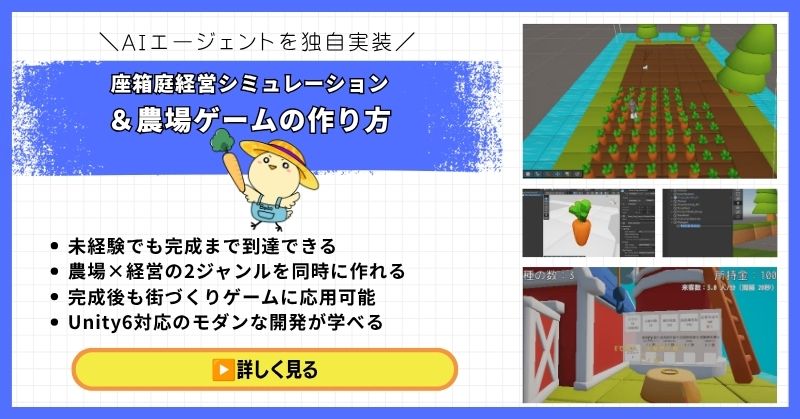
- 未経験でも完成まで到達できる丁寧な解説
- 農場×経営の2ジャンルを同時に作れる
- 賢く自律行動するAIエージェントを独自実装できる
- 完成後も街づくりゲームに応用可能な高い拡張性
- Unity6対応のモダンな開発手法が身につく
経営シミュレーション×農場ゲームの作り方講座は、シムシティ・牧場物語・どうぶつの森のようなゲームを自分で作れるようになる講座です。
農作物の育成・収穫・販売システムはもちろん、NavMeshを使ったお客さんAIの来店・購入・帰宅の自律行動や、ルールベースAIによる従業員エージェントの実装まで、本格的なゲームAI開発が学べます。
箱庭経営シミュレーションという複合的な題材を通して、Unity中級者・上級者に必要な幅広い開発スキルを一気に習得できる講座です。
Unity6対応・AIエージェント実装まで学べる
農場も経営もコレ1本で完成させよう
→ 経営シミュレーション×農場ゲーム講座を見てみる
応用・拡張性は無限大!自律行動するAIを実装して一歩先のゲーム開発へ!
UnityシミュレーションRPGの作り方講座(SRPG)【全16回!本格タクティクスSRPGをゼロから作れる!】
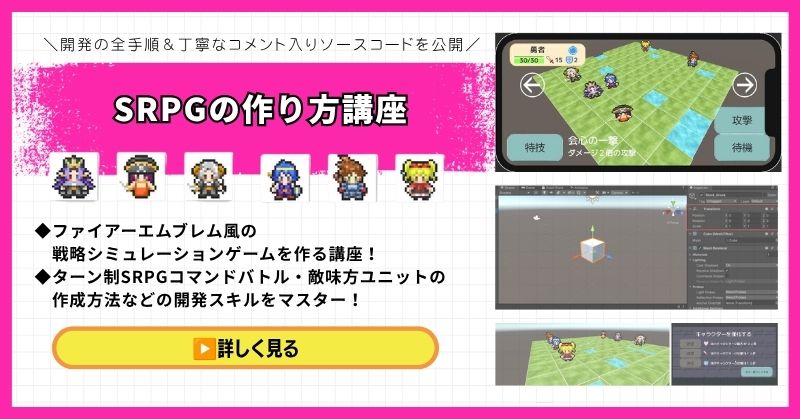
- ファイアーエムブレム風の本格タクティクスSRPGを0から開発
- 書籍でも情報が少ない戦術シミュレーションを丁寧に解説
- 難解なグリッドシステム・敵AI戦術を完全攻略できる
- 全文コメント入りソースコード付きで初心者でも理解しながら進められる
- Unity入門の森の最高傑作の一つ・解説の丁寧さはトップクラス
UnityシミュレーションRPGの作り方講座(SRPG)は、ファイアーエムブレム・タクティクスオウガ・FFタクティクスのようなターン制ストラテジーシミュレーションゲームを作るための講座です。
移動可能エリアの設定・ターン進行管理・コマンド選択型戦闘・敵AI戦術ストラテジーなど、本格SRPGに必要な機能をすべてゼロから開発します。開発難易度が高いシステムも、全文コメント入りのソースコードと丁寧な解説で確実に理解しながら進められます。
「SRPGを作れる」というスキルは希少価値が高く、Unityエンジニアとして中・上級者を目指す人に強くおすすめの一本です。
本格タクティクスSRPGをゼロから完成させる
難解なグリッドシステムと敵AIを完全攻略しよう
→ UnityシミュレーションRPG(SRPG)講座を見てみる
他では学べない当サイト最高傑作!エンジニアとして頭一つ抜ける希少スキルを今すぐ。
Unity ノンフィールドRPG+スレスパ風JRPG講座【Unity6対応!デッキ構築×JRPGをスマホ向けに作れる!】
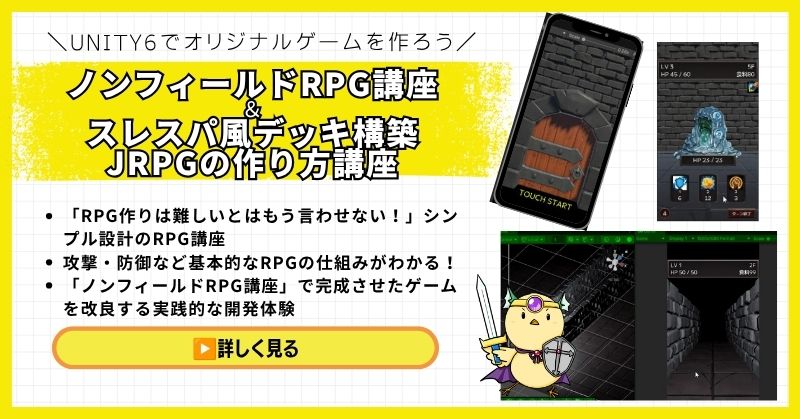
- Unity6対応・スマホ化対応で最新環境のゲーム開発が学べる
- Slay the Spire風のデッキ構築システム×JRPGの組み合わせを実装
- 初心者でも取り組みやすい丁寧な解説構成
- ノンフィールドRPGとデッキ構築JRPGの2つを合わせて学ぶのがおすすめ
Unity ノンフィールドRPGの作り方講座+Slay the Spire風デッキ構築JRPGの作り方講座は、今もっともトレンドのデッキ構築型ゲームシステムをJRPGと組み合わせて実装する方法を学べる講座です。
Unity6対応・スマホ化対応の最新カリキュラムで、デッキ構築の核となるシステムをしっかり習得できます。シミュレーション系の設計思想とも親和性が高く、ゲーム開発の幅を広げたい方にもおすすめです。
「Slay the Spireみたいなゲームを自分でも作ってみたい!」という人の最初の一歩として最適な講座です。
Unity6対応・スマホ化対応の最新カリキュラム
トレンドのデッキ構築×JRPGを最速で実装しよう
→ Slay the Spire風デッキ構築JRPG講座を見てみる
SLGの設計思想とも親和性抜群!トレンドシステムを取り入れて開発の幅を広げよう!
まとめ

経営シミュレーションは、数値の計算が核心です。
売上、コスト、利益を明確に分けて管理しましょう。
✅ 今日から始める3ステップ
- ステップ1:売上システムを実装する(所要2時間)
- ステップ2:コスト計算システムを実装する(所要2時間)
- ステップ3:利益計算システムを実装する(所要2時間)
本格的にUnityを学びたい方は、Unity入門の森で実践的なスキルを身につけましょう。
あなたのペースで、少しずつ進めていけば大丈夫です。
あなたのオリジナルゲーム、今年こそ完成させませんか?
RPG・アクション・ホラー…Unityで本格ゲームを作りたい人のための学習サイトです。
実際に完成するゲームを題材に、
ソースコード・素材・プロジェクト一式をすべて公開。
仕事や学校の合間の1〜2時間でも、
「写経→改造」で自分のゲームまで作りきれる環境です。


コメント