

Fog of War(未踏領域の暗転表示)は、戦術性を高めます。
見えない領域があることで、戦略が重要になります。
この記事では、実装方法を詳しく解説します。
✨ この記事でわかること
- Fog of Warの基本概念
- 視界判定システムの実装
- マップ描画システムの実装
- メモリ情報の管理
- 実装例とコード

Fog of Warは、視界判定から始めましょう。ユニットの視界範囲を計算して、マップを更新します。
\あなたにピッタリのシミュレーションゲーム制作講座を見つけよう!/
おすすめ第1位
経営シミュレーション×
農場ゲームの作り方講座

Unity6対応・農場×経営の2ジャンル融合。AIエージェントを独自実装できる唯一の講座。未経験でも完成まで到達できる丁寧な解説が魅力。
本格派・高難易度
UnityシミュレーションRPG
の作り方講座(SRPG)
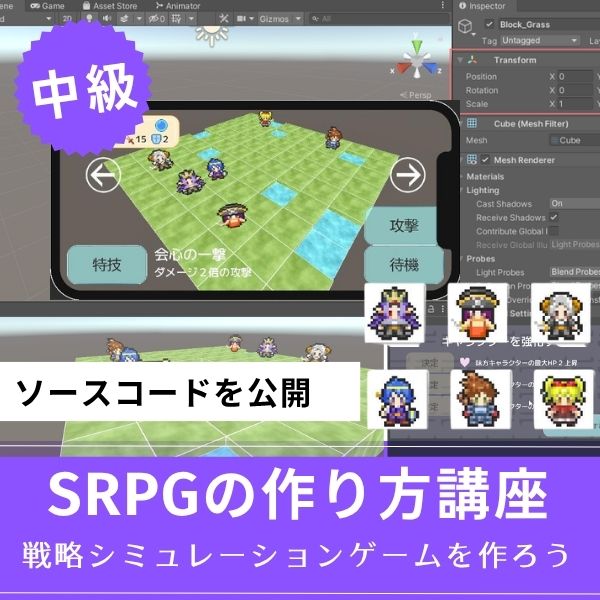
本格SRPGのAI設計・グリッドシステムを全16回で習得。制作難易度が高いSRPGを作れるスキルは、他と大きく差がつく強みになります。
初心者にもおすすめ
Unity ノンフィールドRPG
+スレスパ風JRPG講座
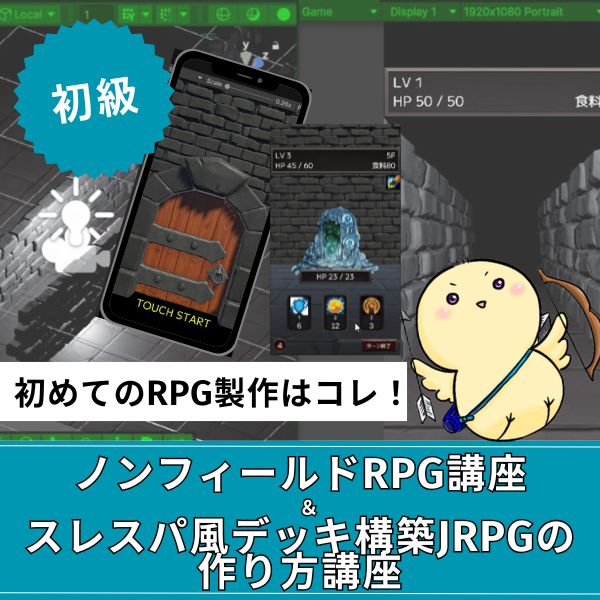
Slay the Spire風デッキ構築×JRPGをUnityで実装。Unity6・スマホ化対応で、初心者がゲーム開発の第一歩を踏み出すのに最適な講座です。
あなたのオリジナルゲーム、今年こそ完成させませんか?
RPG・アクション・ホラー…Unityで本格ゲームを作りたい人のための学習サイトです。

実際に完成するゲームを題材に、
ソースコード・素材・プロジェクト一式をすべて公開。
仕事や学校の合間の1〜2時間でも、
「写経→改造」で自分のゲームまで作りきれる環境です。
Fog of Warの基本概念

Fog of Warは、3つの状態でマップを管理します。
それぞれの状態を理解しましょう。
- 視界内:現在見えている領域(明るい)
- 未探索:一度も見たことがない領域(暗い)
- 探索済み:以前見たことがあるが、現在は見えない領域(薄暗い)
この3つの状態で、マップを管理します。
視界状態の定義
|
1 2 3 4 5 6 7 8 9 10 11 12 13 14 15 16 17 18 19 20 21 22 23 24 25 26 27 28 |
public enum FogState { Unexplored, // 未探索(完全に暗い) Explored, // 探索済み(薄暗い) Visible // 視界内(明るい) } public class FogOfWar : MonoBehaviour { public int mapWidth = 100; public int mapHeight = 100; private FogState[,] fogMap; void Start() { fogMap = new FogState[mapWidth, mapHeight]; // 初期状態はすべて未探索 for (int x = 0; x < mapWidth; x++) { for (int y = 0; y < mapHeight; y++) { fogMap[x, y] = FogState.Unexplored; } } } } |
このコードで、Fog of Warの基本構造が実装できます。
マップの各セルに、視界状態を保存します。
視界判定システムの実装

視界判定は、ユニットの視界範囲を計算します。
実装方法を紹介します。
視界範囲の計算
|
1 2 3 4 5 6 7 8 9 10 11 12 13 14 15 16 17 18 19 20 21 22 23 24 25 26 27 28 29 30 31 32 33 34 35 36 37 38 39 40 41 42 43 44 45 46 47 48 49 50 51 52 53 54 55 56 57 58 59 60 61 62 63 64 65 66 67 68 69 70 71 72 73 74 75 76 77 |
using UnityEngine; using System.Collections.Generic; public class VisionCalculator : MonoBehaviour { public void UpdateVision(List<Unit> units, FogState[,] fogMap) { // 前回の視界をクリア ClearPreviousVision(fogMap); // 各ユニットの視界を計算 foreach (var unit in units) { if (unit.stats.currentHP <= 0) continue; CalculateUnitVision(unit, fogMap); } } void ClearPreviousVision(FogState[,] fogMap) { for (int x = 0; x < fogMap.GetLength(0); x++) { for (int y = 0; y < fogMap.GetLength(1); y++) { if (fogMap[x, y] == FogState.Visible) { fogMap[x, y] = FogState.Explored; } } } } void CalculateUnitVision(Unit unit, FogState[,] fogMap) { int visionRange = unit.stats.visionRange; Vector2Int unitPos = new Vector2Int(unit.gridX, unit.gridY); // 視界範囲内の全セルをチェック for (int x = -visionRange; x <= visionRange; x++) { for (int y = -visionRange; y <= visionRange; y++) { int distance = Mathf.RoundToInt(Vector2.Distance(Vector2.zero, new Vector2(x, y))); if (distance <= visionRange) { int mapX = unitPos.x + x; int mapY = unitPos.y + y; if (IsValidPosition(mapX, mapY, fogMap)) { // 障害物チェック if (!HasObstacle(mapX, mapY)) { fogMap[mapX, mapY] = FogState.Visible; } } } } } } bool IsValidPosition(int x, int y, FogState[,] fogMap) { return x >= 0 && x < fogMap.GetLength(0) && y >= 0 && y < fogMap.GetLength(1); } bool HasObstacle(int x, int y) { // 障害物チェック // 実装は省略 return false; } } |
このコードで、視界判定が実装できます。
ユニットの視界範囲を計算して、マップを更新します。
視界の更新頻度
|
1 2 3 4 5 6 7 8 9 10 11 12 13 14 15 16 17 18 19 20 21 22 23 24 25 26 27 28 29 30 |
public class FogOfWarManager : MonoBehaviour { public VisionCalculator visionCalculator; public float updateInterval = 0.5f; // 0.5秒ごとに更新 private float lastUpdateTime = 0f; private FogState[,] fogMap; void Update() { if (Time.time - lastUpdateTime >= updateInterval) { UpdateFogOfWar(); lastUpdateTime = Time.time; } } void UpdateFogOfWar() { List<Unit> allUnits = GetAllUnits(); visionCalculator.UpdateVision(allUnits, fogMap); UpdateMapVisualization(); } void UpdateMapVisualization() { // マップの視覚化を更新 } } |
視界判定を毎フレーム実行せず、一定間隔で更新します。
これにより、負荷を軽減できます。
マップ描画システムの実装

マップ描画は、視界状態に応じて色を変えます。
実装方法を紹介します。
2Dマップの描画
|
1 2 3 4 5 6 7 8 9 10 11 12 13 14 15 16 17 18 19 20 21 22 23 24 25 26 27 28 29 30 31 32 33 34 35 36 37 38 39 40 41 42 43 |
using UnityEngine; public class FogOfWarRenderer : MonoBehaviour { public Material fogMaterial; public Texture2D fogTexture; public void RenderFogOfWar(FogState[,] fogMap) { int width = fogMap.GetLength(0); int height = fogMap.GetLength(1); Color[] colors = new Color[width * height]; for (int x = 0; x < width; x++) { for (int y = 0; y < height; y++) { int index = y * width + x; colors[index] = GetFogColor(fogMap[x, y]); } } fogTexture.SetPixels(colors); fogTexture.Apply(); } Color GetFogColor(FogState state) { switch (state) { case FogState.Unexplored: return Color.black; // 完全に暗い case FogState.Explored: return new Color(0.2f, 0.2f, 0.2f, 1f); // 薄暗い case FogState.Visible: return Color.clear; // 明るい(透明) default: return Color.black; } } } |
このコードで、2Dマップの描画が実装できます。
視界状態に応じて、色を変更します。
3Dマップの描画
|
1 2 3 4 5 6 7 8 9 10 11 12 13 14 15 16 17 18 19 20 21 22 23 24 25 26 27 28 29 30 31 32 33 34 35 36 37 38 39 40 41 42 43 44 45 46 47 48 49 50 51 |
public class FogOfWarRenderer3D : MonoBehaviour { public GameObject fogPlanePrefab; private GameObject[,] fogPlanes; public void RenderFogOfWar3D(FogState[,] fogMap) { int width = fogMap.GetLength(0); int height = fogMap.GetLength(1); if (fogPlanes == null) { fogPlanes = new GameObject[width, height]; CreateFogPlanes(width, height); } for (int x = 0; x < width; x++) { for (int y = 0; y < height; y++) { UpdateFogPlane(x, y, fogMap[x, y]); } } } void CreateFogPlanes(int width, int height) { for (int x = 0; x < width; x++) { for (int y = 0; y < height; y++) { Vector3 position = new Vector3(x, 0.1f, y); GameObject plane = Instantiate(fogPlanePrefab, position, Quaternion.identity); fogPlanes[x, y] = plane; } } } void UpdateFogPlane(int x, int y, FogState state) { GameObject plane = fogPlanes[x, y]; Renderer renderer = plane.GetComponent<Renderer>(); Color color = GetFogColor(state); renderer.material.color = color; // 視界内の場合は非表示 plane.SetActive(state != FogState.Visible); } } |
3Dマップの描画も実装できます。
各セルにフォグプレーンを配置して、視界状態に応じて色を変更します。
マップ描画は、視界状態に応じて色を変えるだけです。シェーダーを使えば、より滑らかな表現ができます。
メモリ情報の管理

探索済み領域には、以前見た情報を表示します。
実装方法を紹介します。
メモリ情報の保存
|
1 2 3 4 5 6 7 8 9 10 11 12 13 14 15 16 17 18 19 20 21 22 23 24 25 26 27 28 29 30 31 32 33 34 35 36 37 38 39 40 41 42 43 44 45 46 47 48 49 50 51 52 53 54 55 56 57 58 59 60 61 62 |
using UnityEngine; using System.Collections.Generic; public class MemoryManager : MonoBehaviour { private Dictionary<Vector2Int, MemoryData> memoryMap = new Dictionary<Vector2Int, MemoryData>(); public void SaveMemory(Vector2Int position, MemoryData data) { if (!memoryMap.ContainsKey(position)) { memoryMap[position] = data; } else { // 既存の情報を更新(最新の情報を優先) memoryMap[position] = data; } } public MemoryData GetMemory(Vector2Int position) { if (memoryMap.ContainsKey(position)) { return memoryMap[position]; } return null; } public void UpdateMemoryFromVision(FogState[,] fogMap) { for (int x = 0; x < fogMap.GetLength(0); x++) { for (int y = 0; y < fogMap.GetLength(1); y++) { if (fogMap[x, y] == FogState.Visible) { Vector2Int pos = new Vector2Int(x, y); MemoryData data = GetCurrentMapData(pos); SaveMemory(pos, data); } } } } MemoryData GetCurrentMapData(Vector2Int position) { // 現在のマップデータを取得 MemoryData data = new MemoryData(); // 実装は省略 return data; } } [System.Serializable] public class MemoryData { public TileType tileType; public List<Unit> units; public List<Building> buildings; } |
このコードで、メモリ情報の管理が実装できます。
視界内の情報を保存して、探索済み領域に表示します。
実装例:完全なFog of Warシステム

実際に使える、完全なFog of Warシステムの実装例を紹介します。
|
1 2 3 4 5 6 7 8 9 10 11 12 13 14 15 16 17 18 19 20 21 22 23 24 25 26 27 28 29 30 31 32 33 34 35 36 37 38 39 40 41 42 43 44 45 46 47 48 49 50 51 52 53 54 55 56 57 58 59 60 61 62 63 64 65 66 |
using UnityEngine; using System.Collections.Generic; public class CompleteFogOfWarSystem : MonoBehaviour { [Header("システム")] public VisionCalculator visionCalculator; public FogOfWarRenderer fogRenderer; public MemoryManager memoryManager; [Header("設定")] public int mapWidth = 100; public int mapHeight = 100; public float updateInterval = 0.5f; private FogState[,] fogMap; private float lastUpdateTime = 0f; void Start() { InitializeFogOfWar(); } void InitializeFogOfWar() { fogMap = new FogState[mapWidth, mapHeight]; // 初期状態はすべて未探索 for (int x = 0; x < mapWidth; x++) { for (int y = 0; y < mapHeight; y++) { fogMap[x, y] = FogState.Unexplored; } } } void Update() { if (Time.time - lastUpdateTime >= updateInterval) { UpdateFogOfWar(); lastUpdateTime = Time.time; } } void UpdateFogOfWar() { // 1. 視界を計算 List<Unit> allUnits = GetAllUnits(); visionCalculator.UpdateVision(allUnits, fogMap); // 2. メモリを更新 memoryManager.UpdateMemoryFromVision(fogMap); // 3. マップを描画 fogRenderer.RenderFogOfWar(fogMap); } List<Unit> GetAllUnits() { // 全ユニットを取得 return new List<Unit>(); } } |
このコードで、完全なFog of Warシステムが実装できます。
視界判定、マップ描画、メモリ管理を統合しています。
よくある質問(FAQ)

シミュレーションゲームを作りたいなら!Unity入門の森のシミュレーション制作講座で本格ゲーム開発に挑戦しよう
Unity入門の森には、経営・農場・SRPGなど幅広いシミュレーションゲームを作れる講座が揃っています。作りたいジャンルや目標スキルに合わせて選んでみてください。
経営シミュレーション×農場ゲームの作り方講座【Unity6対応!AIエージェント実装まで学べる唯一の講座!】
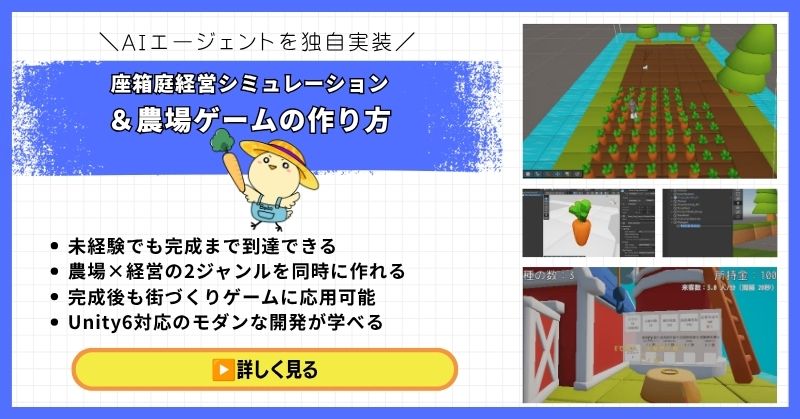
- 未経験でも完成まで到達できる丁寧な解説
- 農場×経営の2ジャンルを同時に作れる
- 賢く自律行動するAIエージェントを独自実装できる
- 完成後も街づくりゲームに応用可能な高い拡張性
- Unity6対応のモダンな開発手法が身につく
経営シミュレーション×農場ゲームの作り方講座は、シムシティ・牧場物語・どうぶつの森のようなゲームを自分で作れるようになる講座です。
農作物の育成・収穫・販売システムはもちろん、NavMeshを使ったお客さんAIの来店・購入・帰宅の自律行動や、ルールベースAIによる従業員エージェントの実装まで、本格的なゲームAI開発が学べます。
箱庭経営シミュレーションという複合的な題材を通して、Unity中級者・上級者に必要な幅広い開発スキルを一気に習得できる講座です。
Unity6対応・AIエージェント実装まで学べる
農場も経営もコレ1本で完成させよう
→ 経営シミュレーション×農場ゲーム講座を見てみる
応用・拡張性は無限大!自律行動するAIを実装して一歩先のゲーム開発へ!
UnityシミュレーションRPGの作り方講座(SRPG)【全16回!本格タクティクスSRPGをゼロから作れる!】
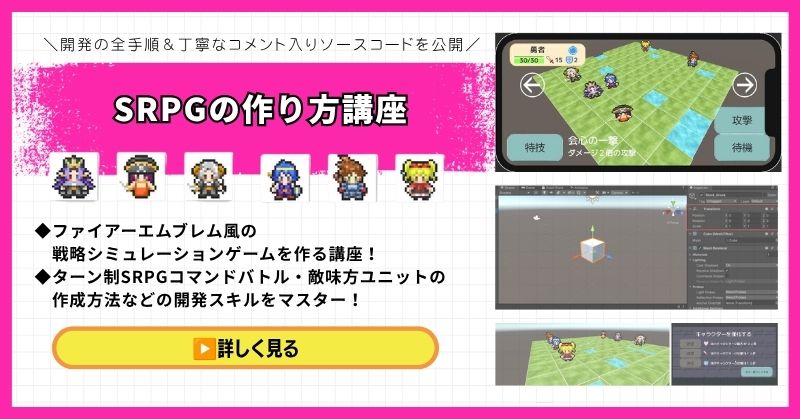
- ファイアーエムブレム風の本格タクティクスSRPGを0から開発
- 書籍でも情報が少ない戦術シミュレーションを丁寧に解説
- 難解なグリッドシステム・敵AI戦術を完全攻略できる
- 全文コメント入りソースコード付きで初心者でも理解しながら進められる
- Unity入門の森の最高傑作の一つ・解説の丁寧さはトップクラス
UnityシミュレーションRPGの作り方講座(SRPG)は、ファイアーエムブレム・タクティクスオウガ・FFタクティクスのようなターン制ストラテジーシミュレーションゲームを作るための講座です。
移動可能エリアの設定・ターン進行管理・コマンド選択型戦闘・敵AI戦術ストラテジーなど、本格SRPGに必要な機能をすべてゼロから開発します。開発難易度が高いシステムも、全文コメント入りのソースコードと丁寧な解説で確実に理解しながら進められます。
「SRPGを作れる」というスキルは希少価値が高く、Unityエンジニアとして中・上級者を目指す人に強くおすすめの一本です。
本格タクティクスSRPGをゼロから完成させる
難解なグリッドシステムと敵AIを完全攻略しよう
→ UnityシミュレーションRPG(SRPG)講座を見てみる
他では学べない当サイト最高傑作!エンジニアとして頭一つ抜ける希少スキルを今すぐ。
Unity ノンフィールドRPG+スレスパ風JRPG講座【Unity6対応!デッキ構築×JRPGをスマホ向けに作れる!】
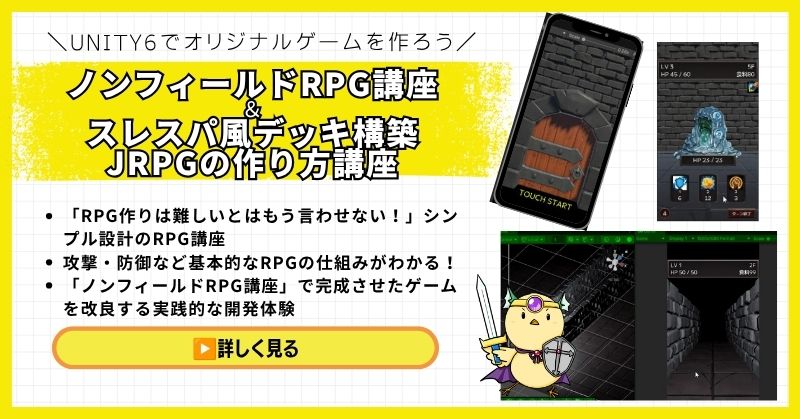
- Unity6対応・スマホ化対応で最新環境のゲーム開発が学べる
- Slay the Spire風のデッキ構築システム×JRPGの組み合わせを実装
- 初心者でも取り組みやすい丁寧な解説構成
- ノンフィールドRPGとデッキ構築JRPGの2つを合わせて学ぶのがおすすめ
Unity ノンフィールドRPGの作り方講座+Slay the Spire風デッキ構築JRPGの作り方講座は、今もっともトレンドのデッキ構築型ゲームシステムをJRPGと組み合わせて実装する方法を学べる講座です。
Unity6対応・スマホ化対応の最新カリキュラムで、デッキ構築の核となるシステムをしっかり習得できます。シミュレーション系の設計思想とも親和性が高く、ゲーム開発の幅を広げたい方にもおすすめです。
「Slay the Spireみたいなゲームを自分でも作ってみたい!」という人の最初の一歩として最適な講座です。
Unity6対応・スマホ化対応の最新カリキュラム
トレンドのデッキ構築×JRPGを最速で実装しよう
→ Slay the Spire風デッキ構築JRPG講座を見てみる
SLGの設計思想とも親和性抜群!トレンドシステムを取り入れて開発の幅を広げよう!
まとめ

Fog of Warは、視界判定から始めましょう。
マップ描画とメモリ管理を組み合わせることで、戦術性が高まります。
✅ 今日から始める3ステップ
- ステップ1:視界判定システムを実装する(所要2時間)
- ステップ2:マップ描画システムを実装する(所要2時間)
- ステップ3:メモリ管理システムを実装する(所要2時間)
本格的にUnityを学びたい方は、Unity入門の森で実践的なスキルを身につけましょう。
あなたのペースで、少しずつ進めていけば大丈夫です。
あなたのオリジナルゲーム、今年こそ完成させませんか?
RPG・アクション・ホラー…Unityで本格ゲームを作りたい人のための学習サイトです。
実際に完成するゲームを題材に、
ソースコード・素材・プロジェクト一式をすべて公開。
仕事や学校の合間の1〜2時間でも、
「写経→改造」で自分のゲームまで作りきれる環境です。



コメント