

スケジュール管理は、育成ゲームにおける中核となるシステムです。
「どの曜日・どの時間帯に、どの行動を配置するか」という設計は、プレイヤーの選択そのものを戦略に変えます。
単なる行動選択ではなく、時間の使い方そのものがゲーム体験を左右する点が、育成ゲーム特有の面白さです。
本記事では、Unity(C#)を用いた育成ゲームを想定し、週単位のスケジュール管理と時間経過による行動実行をどのように実装するかを、具体的なコード例とともに解説します。
この記事でわかること
- 週・時間帯を軸にしたスケジュール選択システムの実装方法
- 育成ゲームに適したスケジュールUI構成の考え方
- スケジュール管理を支える内部データ構造の設計
- 行動実行によるステータス変化の仕組み
- 実際に組み合わせて使える実装例とコード

本記事では、両者をセットで設計・実装する流れを整理しています。
\あなたにピッタリのシミュレーションゲーム制作講座を見つけよう!/
おすすめ第1位
経営シミュレーション×
農場ゲームの作り方講座
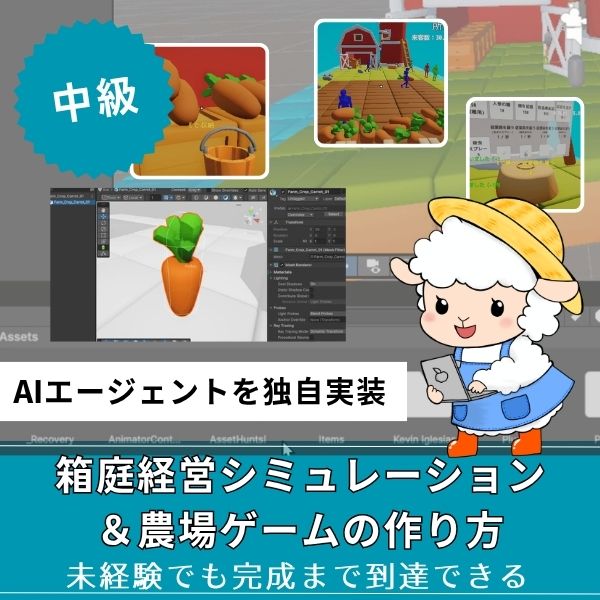
Unity6対応・農場×経営の2ジャンル融合。AIエージェントを独自実装できる唯一の講座。未経験でも完成まで到達できる丁寧な解説が魅力。
本格派・高難易度
UnityシミュレーションRPG
の作り方講座(SRPG)
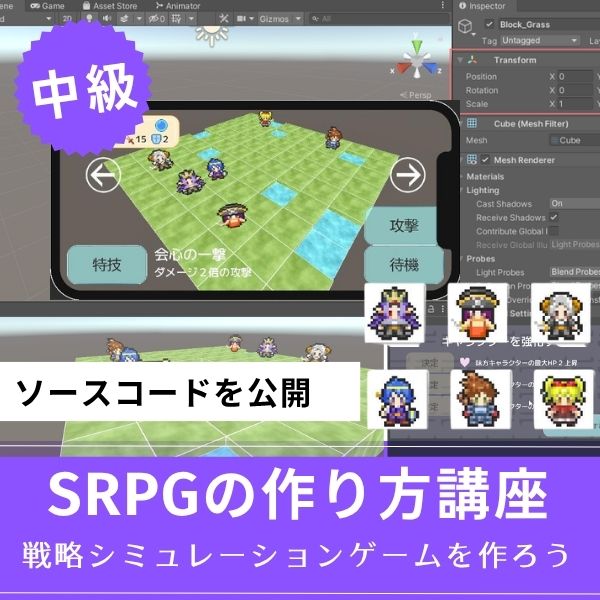
本格SRPGのAI設計・グリッドシステムを全16回で習得。制作難易度が高いSRPGを作れるスキルは、他と大きく差がつく強みになります。
初心者にもおすすめ
Unity ノンフィールドRPG
+スレスパ風JRPG講座
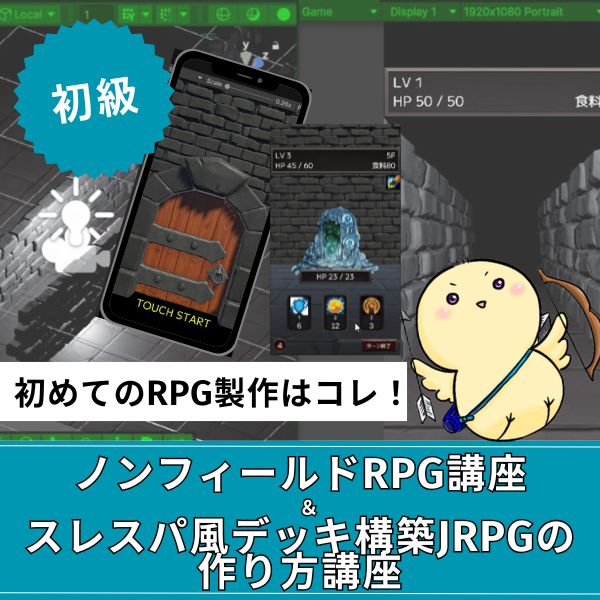
Slay the Spire風デッキ構築×JRPGをUnityで実装。Unity6・スマホ化対応で、初心者がゲーム開発の第一歩を踏み出すのに最適な講座です。
あなたのオリジナルゲーム、今年こそ完成させませんか?
RPG・アクション・ホラー…Unityで本格ゲームを作りたい人のための学習サイトです。
実際に完成するゲームを題材に、
ソースコード・素材・プロジェクト一式をすべて公開。
仕事や学校の合間の1〜2時間でも、
「写経→改造」で自分のゲームまで作りきれる環境です。
スケジュール選択システムの実装

スケジュール選択は、週単位で行動を決めます。
実装方法を紹介します。
スケジュールデータの構造
|
1 2 3 4 5 6 7 8 9 10 11 12 13 14 15 16 17 18 19 20 21 22 23 24 25 26 27 28 29 30 31 32 33 34 35 36 37 38 39 40 41 42 43 44 45 46 47 48 49 50 51 52 53 54 55 56 57 58 59 60 61 62 63 64 65 66 67 68 69 70 71 72 73 74 75 76 77 78 79 80 81 |
using UnityEngine; using System.Collections.Generic; public enum DayOfWeek { Monday, // 月曜日 Tuesday, // 火曜日 Wednesday, // 水曜日 Thursday, // 木曜日 Friday, // 金曜日 Saturday, // 土曜日 Sunday // 日曜日 } public enum TimeSlot { Morning, // 朝 Afternoon, // 昼 Evening // 夕方 } [System.Serializable] public class ScheduleEntry { public DayOfWeek day; public TimeSlot timeSlot; public TrainingAction action; public bool isLocked = false; } [System.Serializable] public class WeeklySchedule { public List<ScheduleEntry> entries = new List<ScheduleEntry>(); public ScheduleEntry GetEntry(DayOfWeek day, TimeSlot time) { return entries.Find(e => e.day == day && e.timeSlot == time); } public void SetEntry(DayOfWeek day, TimeSlot time, TrainingAction action) { ScheduleEntry entry = GetEntry(day, time); if (entry != null) { entry.action = action; } else { entries.Add(new ScheduleEntry { day = day, timeSlot = time, action = action }); } } } public class ScheduleManager : MonoBehaviour { public WeeklySchedule currentSchedule = new WeeklySchedule(); public int currentWeek = 1; public DayOfWeek currentDay = DayOfWeek.Monday; public TimeSlot currentTime = TimeSlot.Morning; public void SetSchedule(DayOfWeek day, TimeSlot time, TrainingAction action) { currentSchedule.SetEntry(day, time, action); } public void ExecuteSchedule() { ScheduleEntry entry = currentSchedule.GetEntry(currentDay, currentTime); if (entry != null && entry.action != null) { GetComponent<CharacterTraining>().ExecuteTraining(entry.action); } } } |
このコードで、スケジュール選択システムが実装できます。
週単位で行動を設定し、時間が進むと自動で実行されます。
UI構成の設計

UI構成は、使いやすさを決めます。
設計方法を紹介します。
スケジュールUIのレイアウト
- 週間カレンダー:月〜日曜日を横に並べる
- 時間帯タブ:朝・昼・夕のタブで切り替え
- 行動選択ボタン:各スロットに行動を設定
- プレビュー表示:選択した行動の効果を表示
UI実装の例
|
1 2 3 4 5 6 7 8 9 10 11 12 13 14 15 16 17 18 19 20 21 22 23 24 25 26 27 28 29 30 31 32 33 34 35 36 37 38 39 40 41 42 43 44 45 46 47 48 49 50 51 52 53 54 55 |
using UnityEngine; using UnityEngine.UI; public class ScheduleUI : MonoBehaviour { public ScheduleManager scheduleManager; public GameObject scheduleSlotPrefab; public Transform scheduleGrid; public List<TrainingAction> availableActions = new List<TrainingAction>(); void Start() { CreateScheduleUI(); } void CreateScheduleUI() { // 週間カレンダーを作成 foreach (DayOfWeek day in System.Enum.GetValues(typeof(DayOfWeek))) { foreach (TimeSlot time in System.Enum.GetValues(typeof(TimeSlot))) { GameObject slot = Instantiate(scheduleSlotPrefab, scheduleGrid); ScheduleSlotUI slotUI = slot.GetComponent<ScheduleSlotUI>(); slotUI.Initialize(day, time, this); } } } public void OnSlotClicked(DayOfWeek day, TimeSlot time) { // 行動選択UIを表示 ShowActionSelectionUI(day, time); } void ShowActionSelectionUI(DayOfWeek day, TimeSlot time) { // 行動選択UIを表示 // 実装は省略 } public void OnActionSelected(DayOfWeek day, TimeSlot time, TrainingAction action) { scheduleManager.SetSchedule(day, time, action); UpdateScheduleUI(); } void UpdateScheduleUI() { // UIを更新 // 実装は省略 } } |
このコードで、スケジュールUIが実装できます。
週間カレンダーと行動選択UIを組み合わせます。
UIは、直感的に操作できることが大切です。ドラッグ&ドロップで行動を設定できると、使いやすくなります。
内部データ構造の設計

内部データ構造は、効率的な管理が重要です。
設計方法を紹介します。
効率的なデータ構造
|
1 2 3 4 5 6 7 8 9 10 11 12 13 14 15 16 17 18 19 20 21 22 23 24 25 26 27 28 29 30 31 32 33 34 35 36 37 38 39 40 41 42 43 44 45 46 47 48 49 50 51 52 53 54 55 |
using System.Collections.Generic; public class OptimizedScheduleData { // 辞書で高速検索 private Dictionary<string, TrainingAction> scheduleDict = new Dictionary<string, TrainingAction>(); private string GetKey(DayOfWeek day, TimeSlot time) { return $"{day}_{time}"; } public void SetAction(DayOfWeek day, TimeSlot time, TrainingAction action) { string key = GetKey(day, time); scheduleDict[key] = action; } public TrainingAction GetAction(DayOfWeek day, TimeSlot time) { string key = GetKey(day, time); if (scheduleDict.ContainsKey(key)) { return scheduleDict[key]; } return null; } public void ClearSchedule() { scheduleDict.Clear(); } public List<ScheduleEntry> GetAllEntries() { List<ScheduleEntry> entries = new List<ScheduleEntry>(); foreach (var kvp in scheduleDict) { string[] parts = kvp.Key.Split('_'); DayOfWeek day = (DayOfWeek)System.Enum.Parse(typeof(DayOfWeek), parts[0]); TimeSlot time = (TimeSlot)System.Enum.Parse(typeof(TimeSlot), parts[1]); entries.Add(new ScheduleEntry { day = day, timeSlot = time, action = kvp.Value }); } return entries; } } |
このコードで、効率的なデータ構造が実装できます。
辞書を使うことで、高速に検索できます。
行動によるステータス変化の仕組み

行動によるステータス変化は、ゲームの核心です。
実装方法を紹介します。
行動データの定義
|
1 2 3 4 5 6 7 8 9 10 11 12 13 14 15 16 17 18 19 20 21 22 23 24 25 26 27 28 29 30 31 32 33 34 35 36 37 38 39 |
[CreateAssetMenu(fileName = "NewTrainingAction", menuName = "Game/Training Action")] public class TrainingAction : ScriptableObject { [Header("基本情報")] public string actionName; public string description; public Sprite actionIcon; [Header("ステータス変化")] public int strengthGain = 0; public int intelligenceGain = 0; public int charmGain = 0; public int staminaGain = 0; public int luckGain = 0; [Header("コスト")] public int staminaCost = 0; public int moneyCost = 0; [Header("条件")] public int requiredStrength = 0; public int requiredIntelligence = 0; public int requiredCharm = 0; public bool CanExecute(CharacterStats stats, int currentStamina, int currentMoney) { // ステータス条件チェック if (stats.strength < requiredStrength) return false; if (stats.intelligence < requiredIntelligence) return false; if (stats.charm < requiredCharm) return false; // コストチェック if (currentStamina < staminaCost) return false; if (currentMoney < moneyCost) return false; return true; } } |
このコードで、行動データが実装できます。
ScriptableObjectで管理すれば、デザイナーも編集できます。
ステータス変化の適用
|
1 2 3 4 5 6 7 8 9 10 11 12 13 14 15 16 17 18 19 20 21 22 23 24 25 26 27 28 29 30 31 32 33 34 |
public class ActionExecutor : MonoBehaviour { public CharacterTraining characterTraining; public ResourceManager resourceManager; public bool ExecuteAction(TrainingAction action) { CharacterStats stats = characterTraining.stats; // 実行可能かチェック if (!action.CanExecute(stats, characterTraining.currentStamina, resourceManager.money)) { Debug.Log("行動を実行できません"); return false; } // コストを支払う characterTraining.currentStamina -= action.staminaCost; resourceManager.money -= action.moneyCost; // ステータスを成長 characterTraining.stats.strength += action.strengthGain; characterTraining.stats.intelligence += action.intelligenceGain; characterTraining.stats.charm += action.charmGain; characterTraining.stats.stamina += action.staminaGain; characterTraining.stats.luck += action.luckGain; // 派生ステータスを再計算 characterTraining.stats.CalculateDerivedStats(); return true; } } |
このコードで、行動によるステータス変化が実装できます。
コストを支払い、ステータスを成長させます。
実装例:完全なスケジュール管理システム

実際に使える、完全なスケジュール管理システムの実装例を紹介します。
|
1 2 3 4 5 6 7 8 9 10 11 12 13 14 15 16 17 18 19 20 21 22 23 24 25 26 27 28 29 30 31 32 33 34 35 36 37 38 39 40 41 42 43 44 45 46 47 48 49 50 51 52 53 54 55 56 57 58 59 |
using UnityEngine; public class CompleteScheduleSystem : MonoBehaviour { [Header("システム")] public ScheduleManager scheduleManager; public ScheduleUI scheduleUI; public ActionExecutor actionExecutor; public CharacterTraining characterTraining; void Start() { InitializeSchedule(); } void InitializeSchedule() { // スケジュールを初期化 scheduleManager.currentSchedule = new WeeklySchedule(); scheduleManager.currentWeek = 1; scheduleManager.currentDay = DayOfWeek.Monday; } public void ProcessWeek() { // 1週間の処理 for (int day = 0; day < 7; day++) { ProcessDay((DayOfWeek)day); } scheduleManager.currentWeek++; } void ProcessDay(DayOfWeek day) { scheduleManager.currentDay = day; // 各時間帯を処理 foreach (TimeSlot time in System.Enum.GetValues(typeof(TimeSlot))) { scheduleManager.currentTime = time; scheduleManager.ExecuteSchedule(); } // 1日の終了処理 EndDay(); } void EndDay() { // スタミナを回復 characterTraining.currentStamina = Mathf.Min( characterTraining.currentStamina + 20, characterTraining.maxStamina ); } } |
このコードで、完全なスケジュール管理システムが実装できます。
スケジュール選択、UI、ステータス変化を統合しています。
よくある質問(FAQ)

シミュレーションゲームを作りたいなら!Unity入門の森のシミュレーション制作講座で本格ゲーム開発に挑戦しよう
Unity入門の森には、経営・農場・SRPGなど幅広いシミュレーションゲームを作れる講座が揃っています。作りたいジャンルや目標スキルに合わせて選んでみてください。
経営シミュレーション×農場ゲームの作り方講座【Unity6対応!AIエージェント実装まで学べる唯一の講座!】
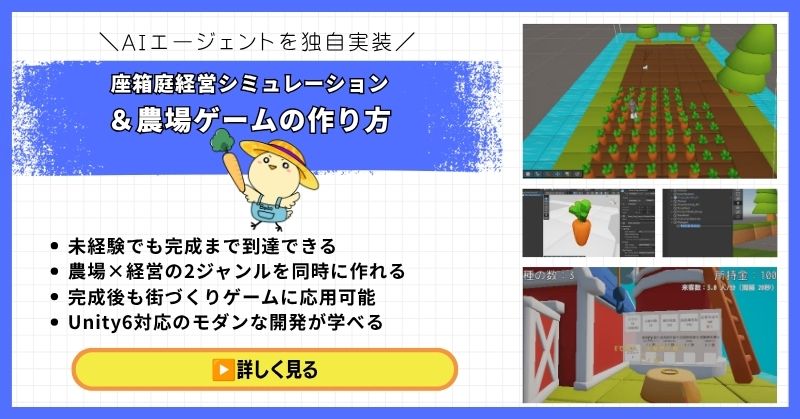
- 未経験でも完成まで到達できる丁寧な解説
- 農場×経営の2ジャンルを同時に作れる
- 賢く自律行動するAIエージェントを独自実装できる
- 完成後も街づくりゲームに応用可能な高い拡張性
- Unity6対応のモダンな開発手法が身につく
経営シミュレーション×農場ゲームの作り方講座は、シムシティ・牧場物語・どうぶつの森のようなゲームを自分で作れるようになる講座です。
農作物の育成・収穫・販売システムはもちろん、NavMeshを使ったお客さんAIの来店・購入・帰宅の自律行動や、ルールベースAIによる従業員エージェントの実装まで、本格的なゲームAI開発が学べます。
箱庭経営シミュレーションという複合的な題材を通して、Unity中級者・上級者に必要な幅広い開発スキルを一気に習得できる講座です。
Unity6対応・AIエージェント実装まで学べる
農場も経営もコレ1本で完成させよう
→ 経営シミュレーション×農場ゲーム講座を見てみる
応用・拡張性は無限大!自律行動するAIを実装して一歩先のゲーム開発へ!
UnityシミュレーションRPGの作り方講座(SRPG)【全16回!本格タクティクスSRPGをゼロから作れる!】
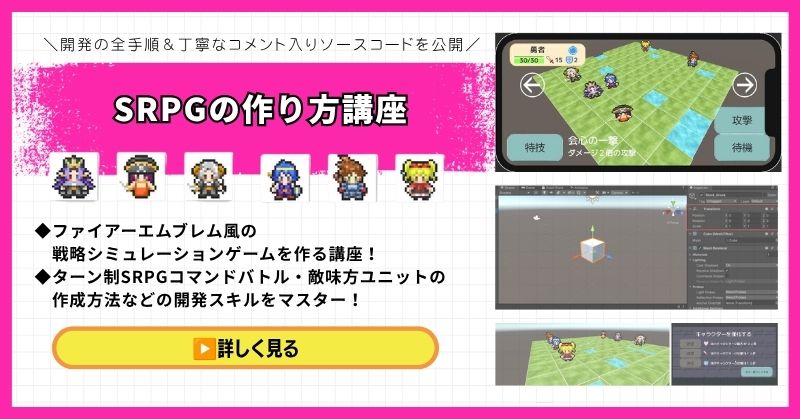
- ファイアーエムブレム風の本格タクティクスSRPGを0から開発
- 書籍でも情報が少ない戦術シミュレーションを丁寧に解説
- 難解なグリッドシステム・敵AI戦術を完全攻略できる
- 全文コメント入りソースコード付きで初心者でも理解しながら進められる
- Unity入門の森の最高傑作の一つ・解説の丁寧さはトップクラス
UnityシミュレーションRPGの作り方講座(SRPG)は、ファイアーエムブレム・タクティクスオウガ・FFタクティクスのようなターン制ストラテジーシミュレーションゲームを作るための講座です。
移動可能エリアの設定・ターン進行管理・コマンド選択型戦闘・敵AI戦術ストラテジーなど、本格SRPGに必要な機能をすべてゼロから開発します。開発難易度が高いシステムも、全文コメント入りのソースコードと丁寧な解説で確実に理解しながら進められます。
「SRPGを作れる」というスキルは希少価値が高く、Unityエンジニアとして中・上級者を目指す人に強くおすすめの一本です。
本格タクティクスSRPGをゼロから完成させる
難解なグリッドシステムと敵AIを完全攻略しよう
→ UnityシミュレーションRPG(SRPG)講座を見てみる
他では学べない当サイト最高傑作!エンジニアとして頭一つ抜ける希少スキルを今すぐ。
Unity ノンフィールドRPG+スレスパ風JRPG講座【Unity6対応!デッキ構築×JRPGをスマホ向けに作れる!】
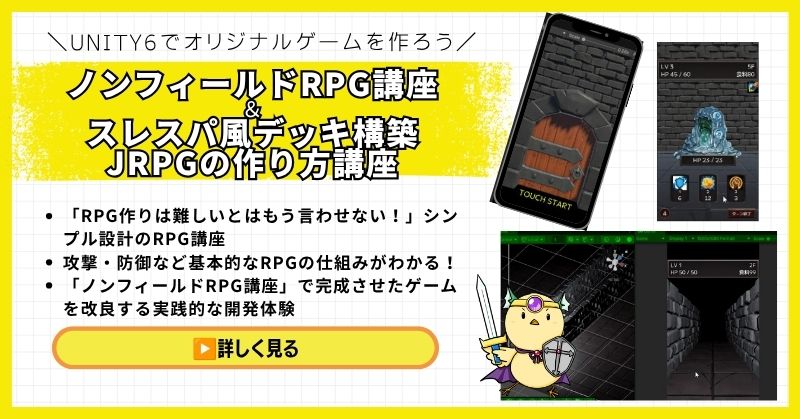
- Unity6対応・スマホ化対応で最新環境のゲーム開発が学べる
- Slay the Spire風のデッキ構築システム×JRPGの組み合わせを実装
- 初心者でも取り組みやすい丁寧な解説構成
- ノンフィールドRPGとデッキ構築JRPGの2つを合わせて学ぶのがおすすめ
Unity ノンフィールドRPGの作り方講座+Slay the Spire風デッキ構築JRPGの作り方講座は、今もっともトレンドのデッキ構築型ゲームシステムをJRPGと組み合わせて実装する方法を学べる講座です。
Unity6対応・スマホ化対応の最新カリキュラムで、デッキ構築の核となるシステムをしっかり習得できます。シミュレーション系の設計思想とも親和性が高く、ゲーム開発の幅を広げたい方にもおすすめです。
「Slay the Spireみたいなゲームを自分でも作ってみたい!」という人の最初の一歩として最適な講座です。
Unity6対応・スマホ化対応の最新カリキュラム
トレンドのデッキ構築×JRPGを最速で実装しよう
→ Slay the Spire風デッキ構築JRPG講座を見てみる
SLGの設計思想とも親和性抜群!トレンドシステムを取り入れて開発の幅を広げよう!
まとめ

スケジュール管理は、UIとデータ構造の両方が重要です。
使いやすいUIを設計し、効率的なデータ構造を実装しましょう。
✅ 今日から始める3ステップ
- ステップ1:スケジュールデータ構造を実装する(所要2時間)
- ステップ2:スケジュールUIを実装する(所要3時間)
- ステップ3:行動によるステータス変化を実装する(所要2時間)
本格的にUnityを学びたい方は、Unity入門の森で実践的なスキルを身につけましょう。
あなたのペースで、少しずつ進めていけば大丈夫です。
あなたのオリジナルゲーム、今年こそ完成させませんか?
RPG・アクション・ホラー…Unityで本格ゲームを作りたい人のための学習サイトです。
実際に完成するゲームを題材に、
ソースコード・素材・プロジェクト一式をすべて公開。
仕事や学校の合間の1〜2時間でも、
「写経→改造」で自分のゲームまで作りきれる環境です。


コメント